
The Orb 2
Formant Filter Plugin
Vowel Filter
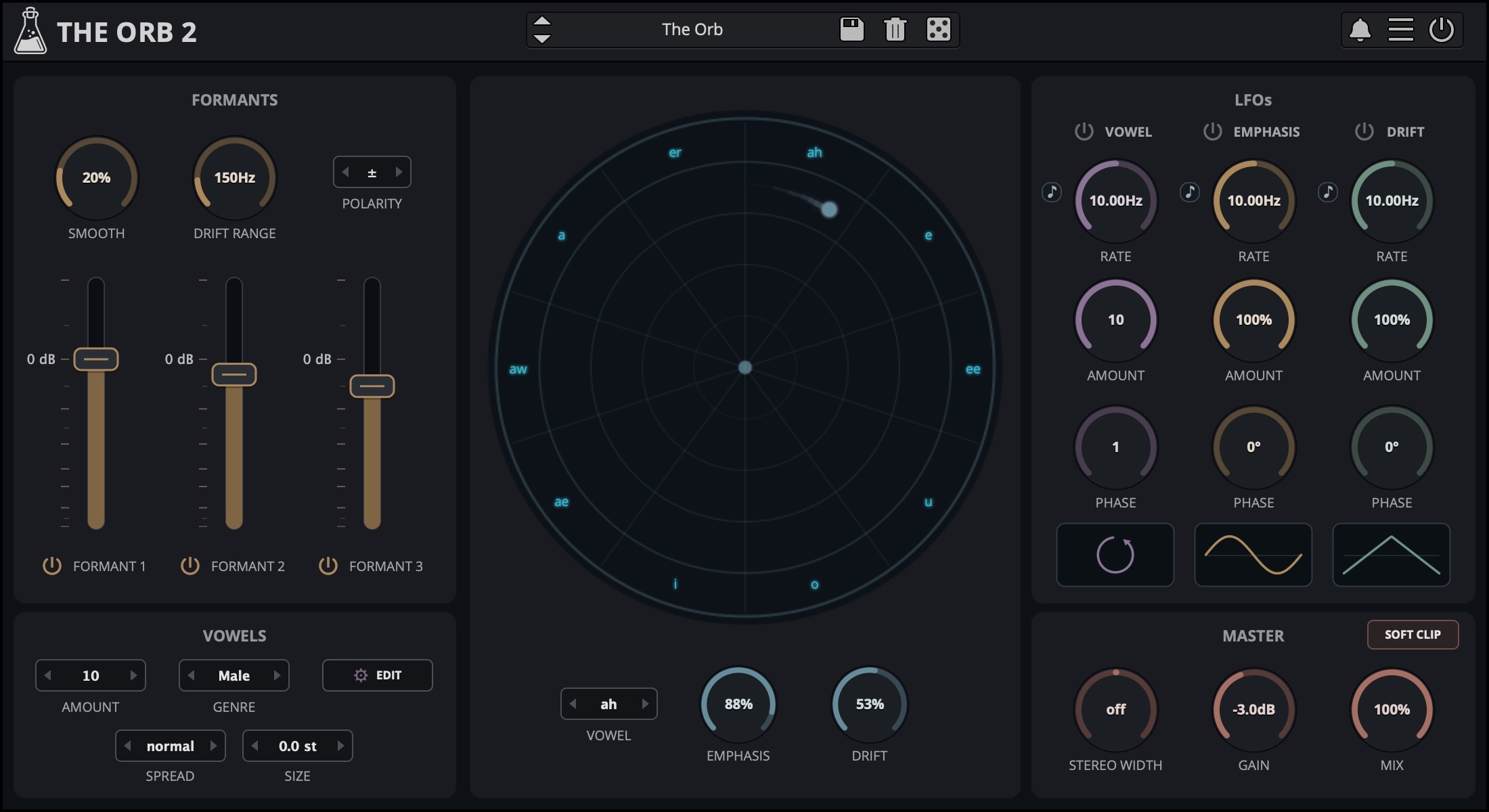
The Orb is a formant filter plugin that simulates the characteristics of the human voice. Featuring a set of three band pass filters, The Orb can transform any sound into a vowel-like formant-filtered sound. With the three LFOs you can modulate the Vowel, the Emphasis/Resonance of the formants, and the Drift, which can shift up or down the frequencies of each formant. You can also create your own set of vowels by changing the name and frequency for each vowel/formant.
The Orb is available for macOS, Windows, and Linux (VST2, VST3, AU, AAX, CLAP).
Listen to audio demos
The Orb
Each sector of the orb represents a Vowel. It’s possible to change the vowel for each sector by clicking on the vowel name.
The distance from the center of the orb to the dot represents the amount of Emphasis (resonance) for each formant filter.
The angle of each sector represents the amount of Drift, which is a value in Hz that will be added or subtracted from each vowel formant.
Custom Vowels
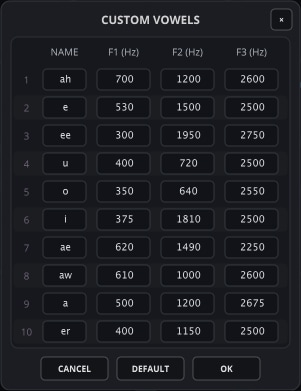
By clicking on the Edit button in the Vowels section, you can access the Custom Vowels window.
It’s possible to change each vowel name and frequency for the three formants.
Each custom vowels set will be saved in a preset (or DAW session), so you can create as many as you want by saving to a new preset.
The default setting is the same as the Male genre settings.
Also available on iOS
The Orb is available for iPhone and iPad on the App Store, as a AUv3 plugin and Standalone (IAA).
Download on theApp Store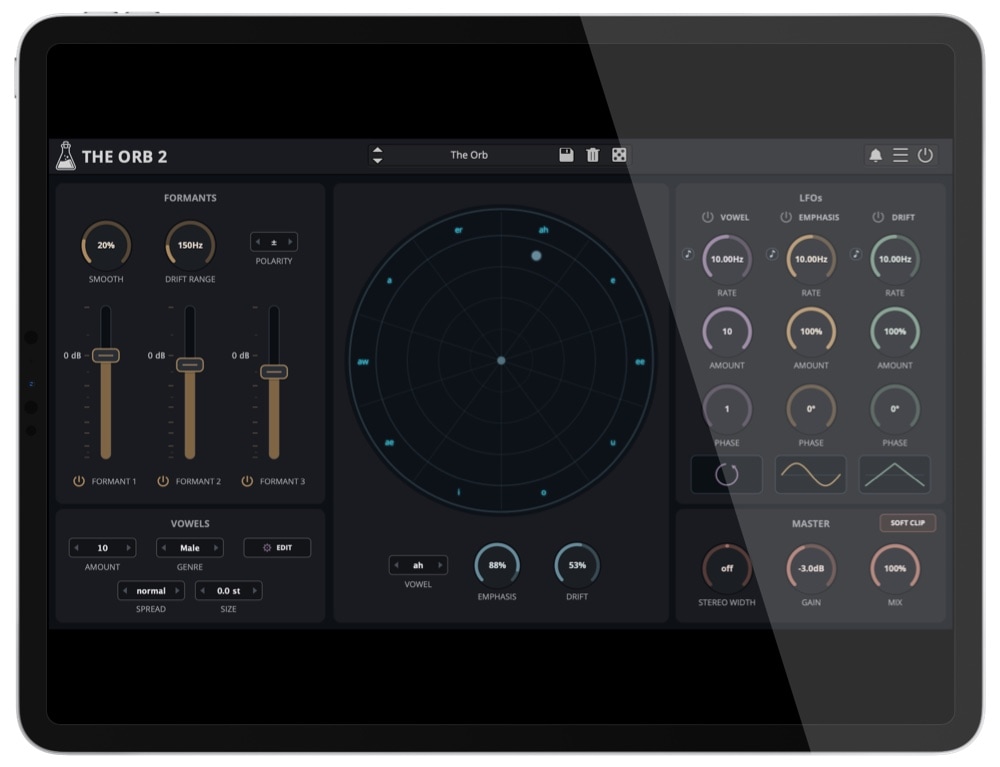
Reviews

“I love making my synths talk and using The Orb by @audiothing is one of the coolest ways to do it!”

“Give any sound that vocalised vibe with the well-rounded latest effect from this fast-rising star of plugin development. The Orb is a must-hear creative processor for any electronic music producer. 9/10”

“I haven’t come across an audio plugin like this. It functions as a Phaser, Talkbox, Step Sequencer, Filter and Vocal synth. Depending on how you use it, you can get surprising results.”
The Orb Demo
Try The Orb for free with some limitations: silence for 3 seconds every 45 seconds, saving disabled.
If you like it, you can purchase a license and then authorize the demo version.
macOS
Requires macOS 10.13 or higher
AU, VST2, VST3, AAX, CLAP (64bit only)
Download DemoWindows
Requires Windows 7 or higher
VST2, VST3, AAX, CLAP (64bit only)
Download DemoLinux
Requires Ubuntu 20.04 or newer
VST2, VST3, CLAP (64bit only)
Download DemoSpecifications
- Three Band Pass Filters
- Vowel Sets: Male, Female, Child and Custom
- 3 LFOs (Vowel, Emphasis and Drift)
- Lightweight on CPU
- Resizable Window
- Preset system with randomizer
- Brightness and Contrast Controls
System Requirements
Windows
Windows 7 – 11
2GHz CPU, 4 GB RAM
VST2, VST3, AAX, CLAP (64-bit)
macOS
macOS 10.13 – macOS 26
2GHz CPU, 4 GB RAM
VST2, VST3, AU, AAX, CLAP (64-bit)
Universal 2 Binary
Linux
Ubuntu 20.04 LTS
2GHz CPU, 4 GB RAM
VST2, VST3, CLAP (64-bit)
Changelog
v2.0 2026/09/28
- Added: Stereo Width, Spread, and Size Parameters
- Added: New Procedural GUI
- Added: New Preset Browser
- Added: Dotted values for synced LFOs
- Added: macOS 26 Tahoe support
v1.2.2 2023/11/22
- Added: Option to extend the range of the Smooth parameter
- Added: CLAP plugin format
- Added: Linux VST2, VST3, CLAP plugin formats
- Added: macOS 14 Sonoma support
- Added: Windows 11 support
- Added: CLAP plugin format
- Added: AAX Silicon Support
- Improved: CPU and memory usage
- Fixed: Accelerated GUI settings
- Fixed: FL Studio compatibility
- Fixed: Compatibility issue with OS X 10.9
v1.2.1 2021/10/19
- Added: macOS 11 Big Sur support (Universal 2 Binary)
- Added: Option to show a tail indicator for the dot
- Added: Option to enable Accelerated GUI
- Added: Light and Dark UI mode
- Fixed: VST3 version loading as mono in some hosts
- Fixed: Parameter Lock not working properly
- Fixed: Logic Pro random crash when loading a saved project
v1.2 2020/09/17
- Added: macOS 10.15 Catalina support
- Added: Parameter Lock
- Added: Edit Value option for Knobs
- Added: Notification System
- Added: Internal support for left-hand mouse users
- Fixed: Vowel LFO amount issue when changing Vowel Amount
- Fixed: Emphasis and Drift LFO amount not working with Random wave
- Fixed: Digital Performer Plugin Validation Error
- Improved: Graphics rendering optimisation
v1.1 2018/07/23
- Added: Online Authorization Form
- Added: Smoothed bypass
- Added: Preset Copy/Paste to/from Clipboard
- Added: Global option – Resizable Window
- Added: VST3 plugin format
- Added: 25 new presets
- Fixed: Random Lock for LFO waveforms
- Improved: LFO Sync stability
- Improved: LFO Vowel Phase Parameter
- Improved: Preset Browser with sub-categories
v1.0.1 2017/02/27
- Extended LFO rate range from 0.01Hz to 2kHz (enable from More button)
- Improved CPU performance
- Fixed Vowel Editor default number bug
- Fixed Pro Tools stepped automation bug
Copy Protection
To activate your plugin you can choose between Online and Offline authorization.
Create an account, log in through the plugin to activate, or download your license file for offline activation.
Activation
1 license up to 3 computers
No iLok
We don’t like dongles
No Internet
No connection required to activate