
Orbita
Euclidean Drum Machine
Euclidean Rhythms
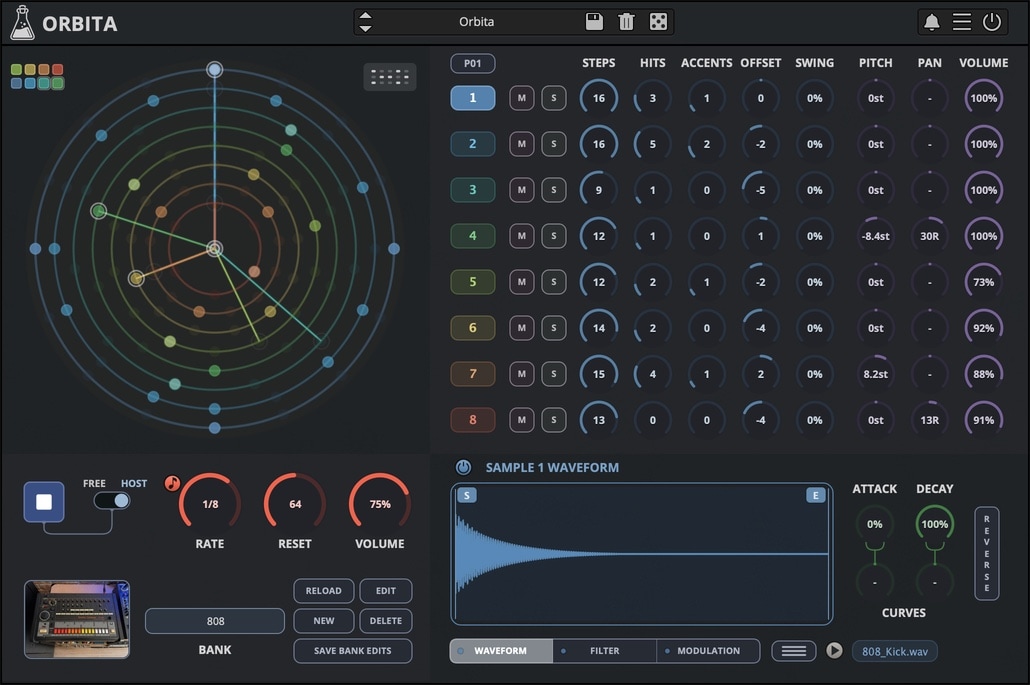
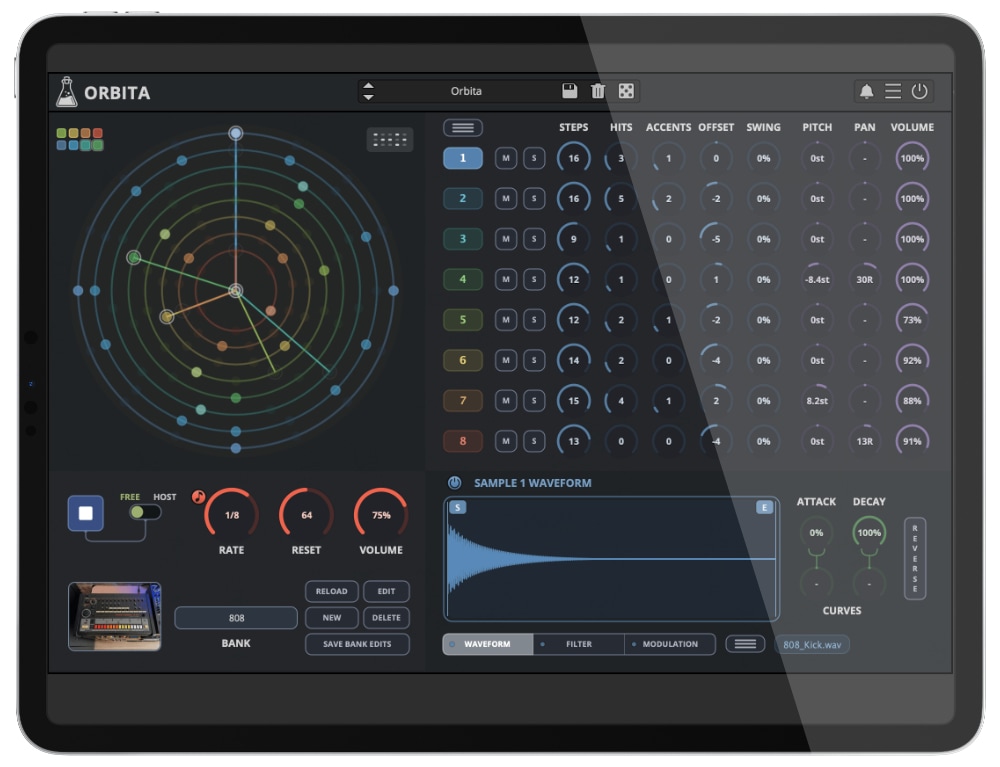
Orbita is a Euclidean Rhythm Drum Machine plugin designed for creating evolving, interlocking grooves with ease. Built around a circular sequencer, it lets you distribute beats across eight sample tracks and instantly explore polyrhythms, shifting accents, offsets, swing, etc. Shape each sound with flexible controls, load your own samples, and transform simple pulses into organic, hypnotic rhythms that keep moving in unexpected ways.
Orbita is available for macOS, Windows, and Linux (VST2, VST3, AU, AAX, CLAP).
It’s also available on the App Store for iOS and iPadOS (AUv3 and Standalone).
Using the Euclidean Sequencer
Each of Orbita’s eight tracks can run its own rhythmic cycle. Start by selecting a track, then set the number of Steps to define the length of its pattern. Increase Hits to add triggers, which are automatically spread as evenly as possible across the cycle.
Use Accents to add emphasis within the pattern, making certain hits louder and giving the sequence more character. Offset rotates the pattern around the cycle without changing its number of steps or hits, making it easy to find new interactions between tracks. Swing shifts the timing feel, adding groove and reducing the mechanical precision of repeating patterns.
The most interesting results often come from combining tracks with different cycle lengths. For example, a kick pattern with 16 steps can play against percussion with 11 or 13 steps, creating evolving rhythms that take longer to repeat. Try building a simple foundation first, then gradually add shorter or uneven patterns for movement and variation.
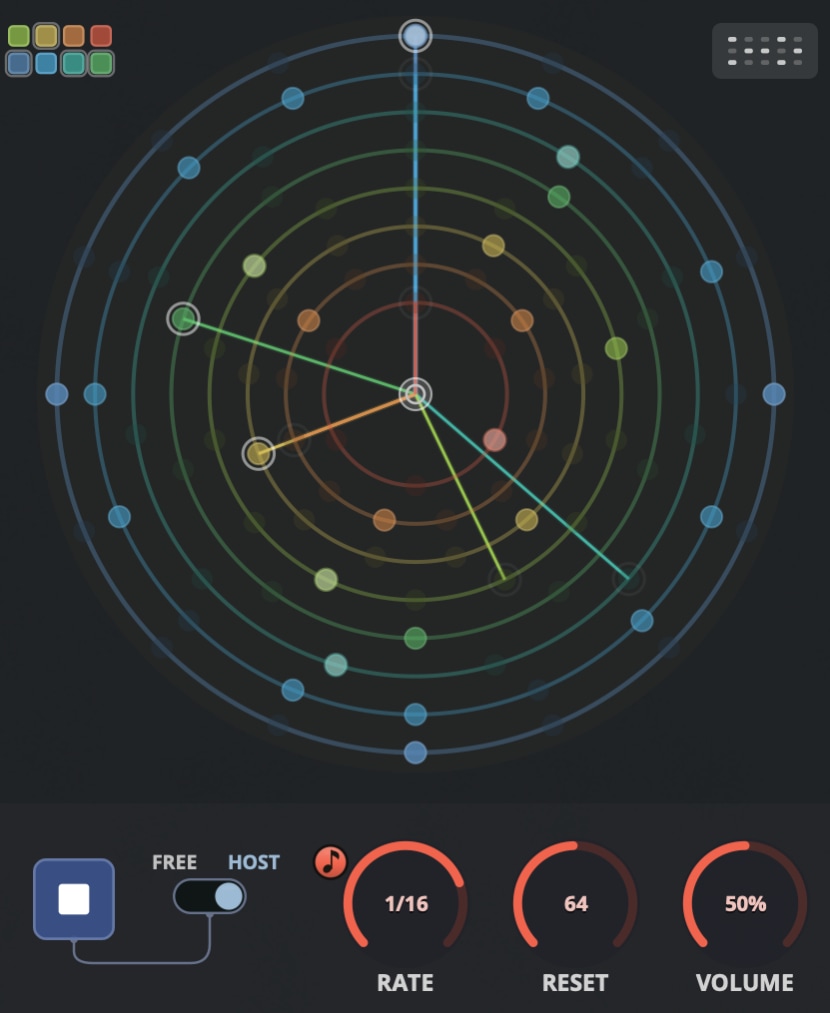
Use the Reset parameter to set the number of beats after which the sequencer restarts from the beginning. This is especially useful when combining patterns with different step lengths, allowing you to control when evolving rhythms realign and repeat.
Banks
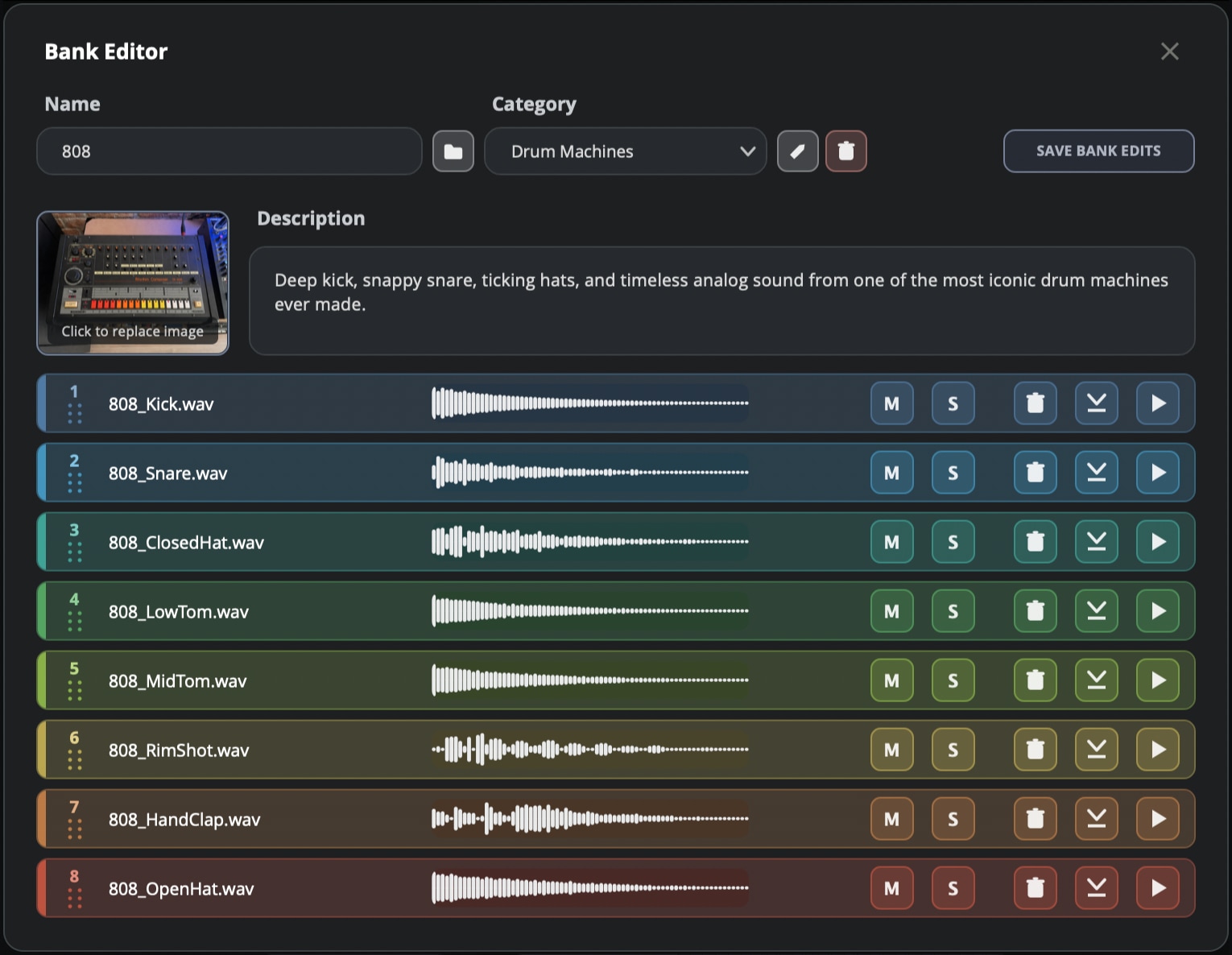
Orbita comes with a selection of banks covering classic drum machines, acoustic percussion, found sounds, experimental sources, and more unusual generative material. Browse the categories and choose a bank to quickly load a new set of sounds into the sequencer, ready to be shaped into a new rhythm.
Creating your own banks is just as easy. Load your samples into the Bank Editor, rearrange them with simple drag and drop, and save your custom bank for later use. Combine your own recordings, favourite drum sounds, and unusual textures to build a personal sound library for Orbita.
A selection of factory banks includes: acoustic drum kits, 808, CR-78, DD-10, DR-220A, Elsita, LELL UDS, SR-LP-88, Super Drums, Super Percussions, Ult-Sound DS-2, VL-1, Hybrid Grooves, TX101, Mixed Percussions, and more!
Filter and Modulation
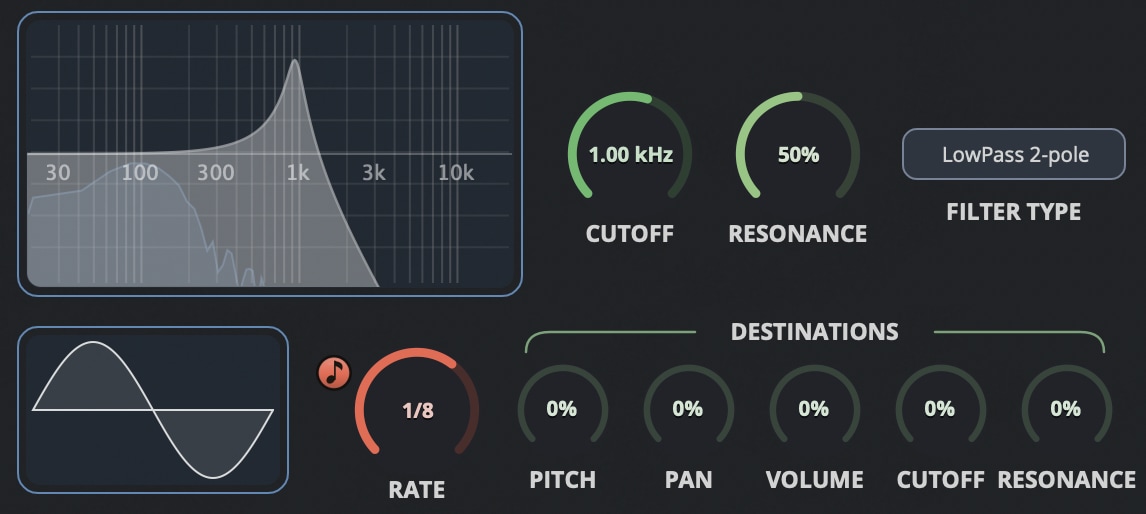
Each sample has its own filter, with LowPass, HighPass, BandPass and Notch modes, available in 2 pole and 4 pole versions. Use it to soften a sound, remove unwanted frequencies, or make something more resonant and unusual.
Each sample also has its own LFO modulation section. Choose a waveform, set the rate, and send it to Pitch, Pan, Volume, Cutoff or Resonance. It can add just a little movement, or completely change the way a pattern feels.
Pattern Browser
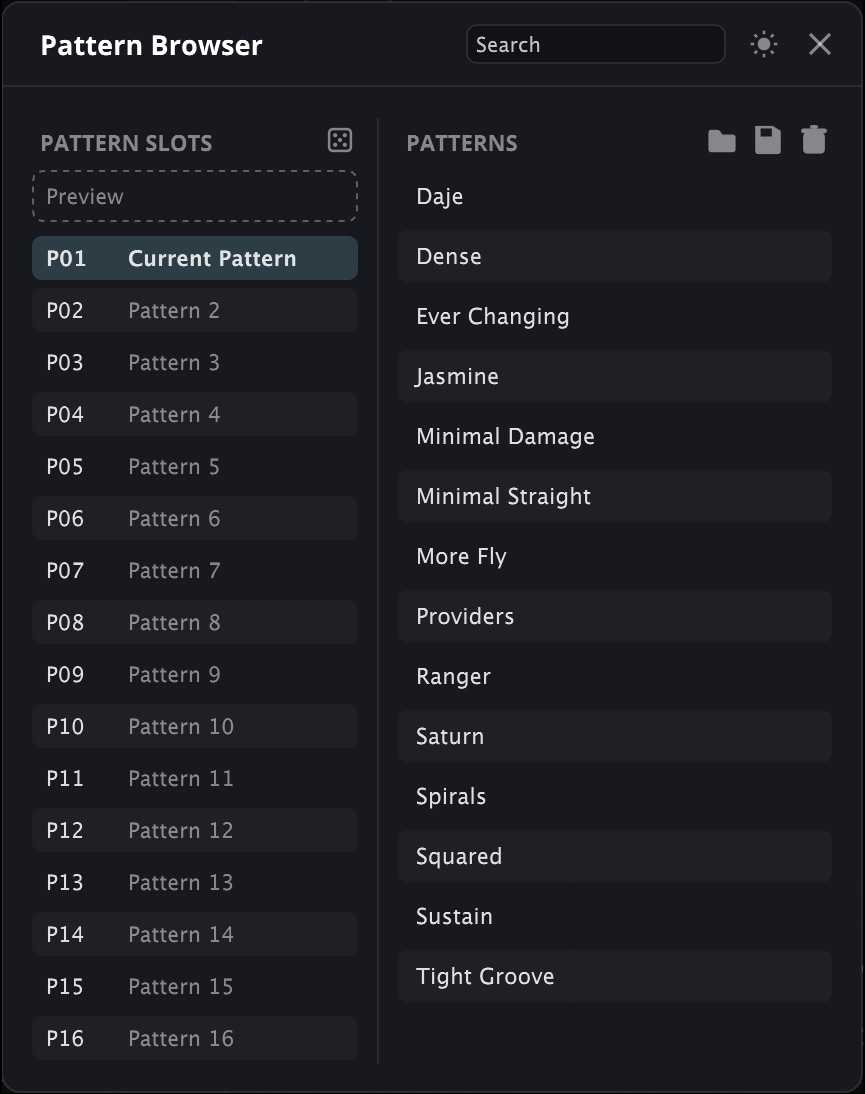
The Pattern Browser lets you create, store, and switch between up to 16 rhythm patterns within a single preset. Each pattern stores the sequencer settings for all eight lanes, including Steps, Hits, Accents, Offset, and Swing, while leaving the loaded samples and other sound settings unchanged.
Patterns can also be saved to the Pattern Library and reused in other presets. Load a pattern into the currently active slot, or use Preview to audition it before replacing the current pattern.
The Pattern parameter can be automated from your host to switch between pattern slots, making it easy to build arrangements and move between different rhythmic variations.
Play it like a Drum Machine
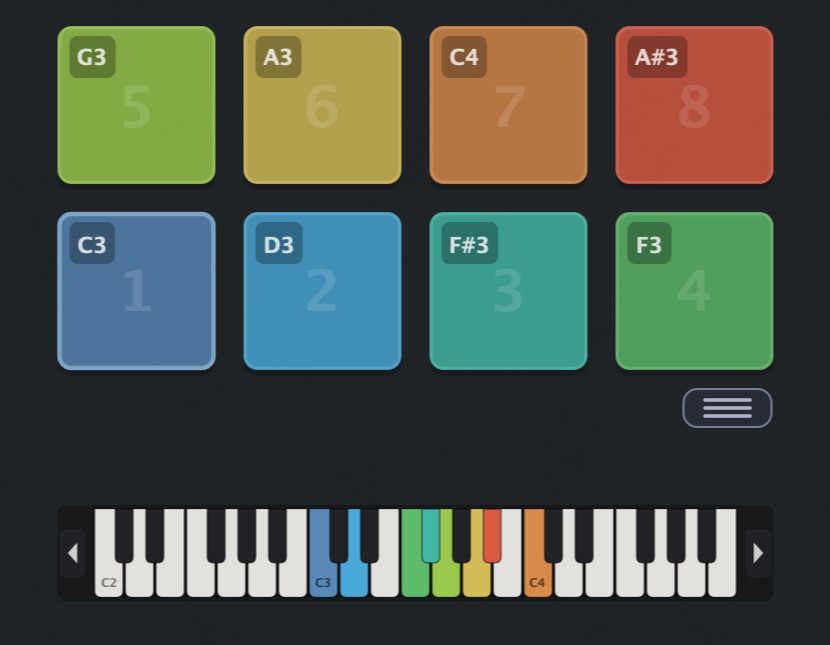
When you prefer a more immediate approach, Orbita becomes a classic eight pad drum machine. Trigger each sound directly, play rhythms by hand, and assign custom MIDI notes to match your controller or performance setup. Use the pads on their own, or combine live playing with Orbita’s Euclidean patterns.
A Long Time in Orbit
The first version of what eventually became Orbita started more than ten years ago as a small experimental sequencer.
Over the years, I kept returning to the idea, rebuilding it several times and exploring different ways of creating rhythms through circles, divisions and overlapping patterns.
Some parts of the original concept survived, while many others changed completely.
Orbita Demo
Try Orbita for free with some limitations: limited selections of banks, silence for 3 seconds every 2 minutes, saving disabled.
It’s not possible to authorize the demo version, you’ll find the full version installer in your user area.
macOS
Requires macOS 10.13 or higher
AU, VST2, VST3, AAX, CLAP (64bit only)
Windows
Requires Windows 7 or higher
VST2, VST3, AAX, CLAP (64bit only)
Linux
Requires Ubuntu 20.04 or newer
VST2, VST3, CLAP (64bit only)
Specifications
- Euclidean Sequencer
- 8 Tracks / Samples
- Filter and LFO Modulation per Track
- 36 Factory Banks
- Pattern Browser
- Custom Bank Editor
- MIDI Out
- Resizable Window
- Preset Browser with Randomizer
- Brightness and Contrast Controls
System Requirements
Windows 7 – 11
2GHz CPU, 4 GB RAM
VST2, VST3, AAX, CLAP (64-bit)
macOS 10.13 – macOS 26
2GHz CPU, 4 GB RAM
VST2, VST3, AU, AAX, CLAP (64-bit)
Universal 2 Binary
Ubuntu 20.04 LTS
2GHz CPU, 4 GB RAM
VST2, VST3, CLAP (64-bit)
Copy Protection
To activate your plugin you can choose between Online and Offline authorization.
Create an account, log in through the plugin to activate, or download your license file for offline activation.
Activation
1 license up to 3 computers
No iLok
We don’t like dongles
No Internet
No connection required to activate
Changelog
2026/09/24: v1.1
- Added: Patterns Browser with Pattern Parameter
- Added: Audio and MIDI Multi-out support for individual lanes
- Added: MIDI file direct export
- Improved: MIDI output now follows lane mute and solo states
- Improved: Preset switching now retains sequencer sync (if bank is the same)
- Improved: Randomizer
2026/08/28: v1.0
Release!