
Fields
Audio Recorder
Field Recorder
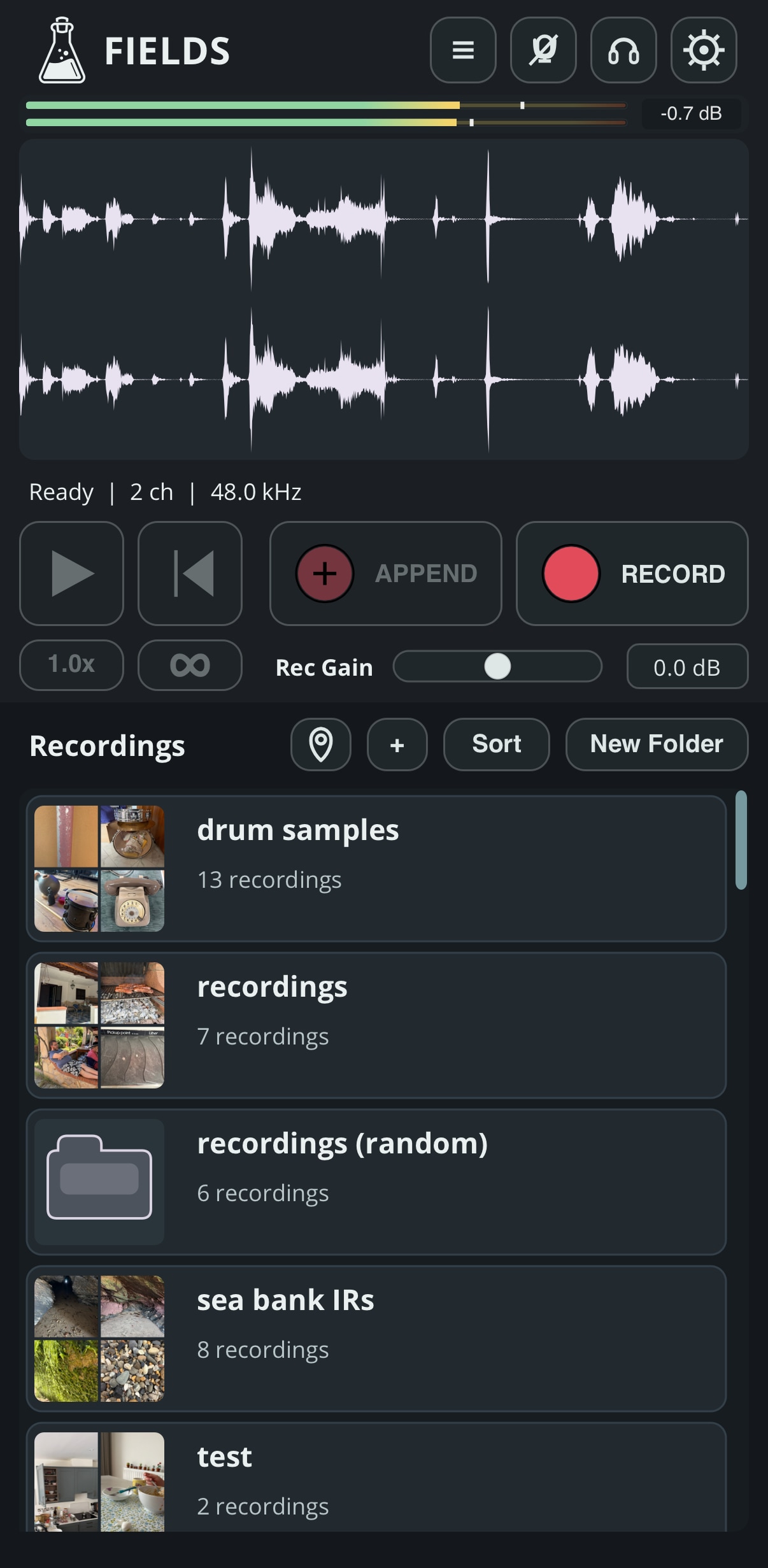
Fields is a portable iOS field recording app designed for capturing, organizing, and editing sounds in one place. Record new material wherever you are, import existing audio files, attach photos, location, and notes, and apply useful edits directly within the app. Whether you are collecting ambiences, textures, found sounds, percussion, or impulse responses, Fields keeps your recordings organized and ready to use.
Fields is available on the App Store for iOS and iPadOS (Standalone App).
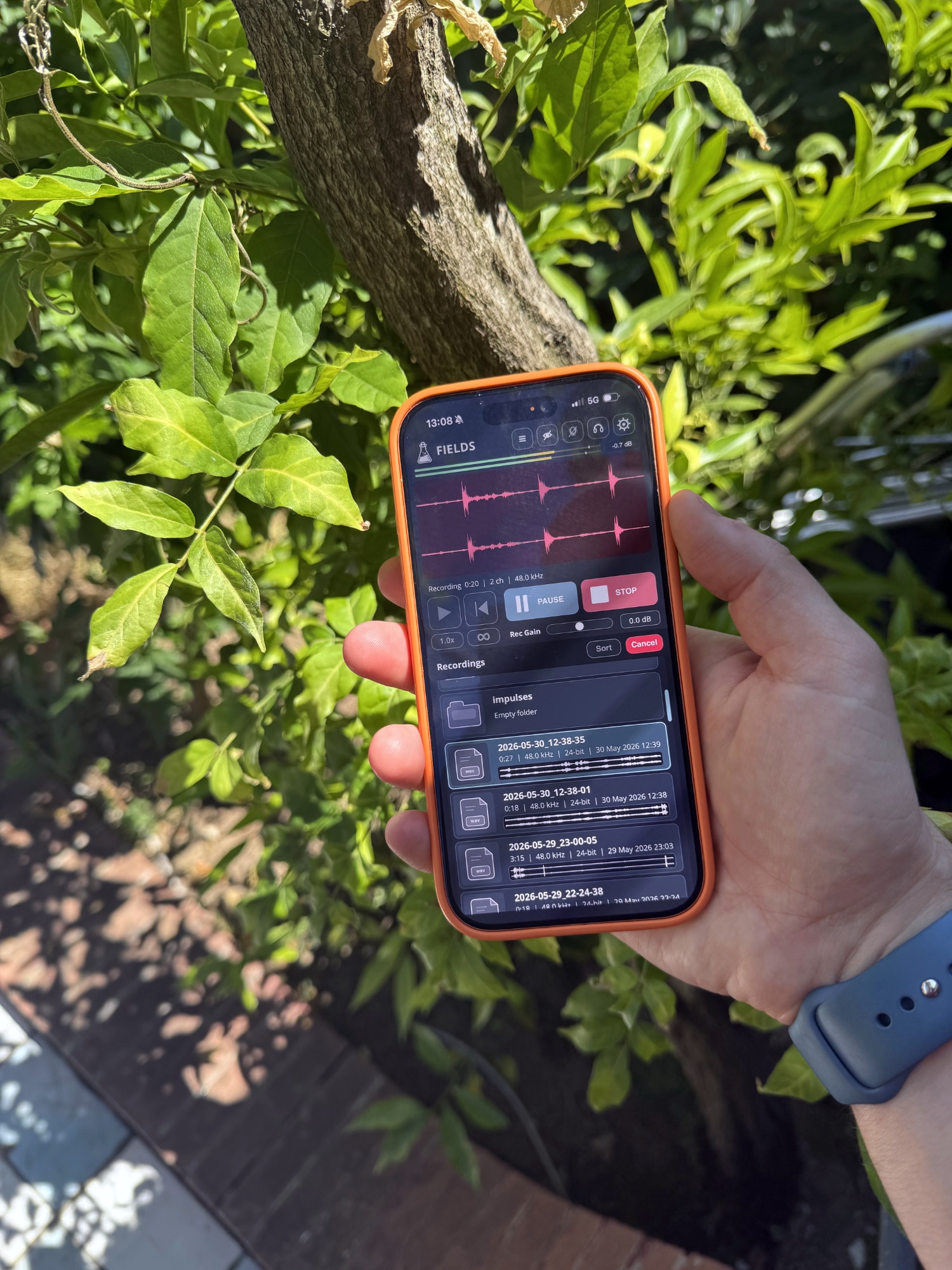
Recording
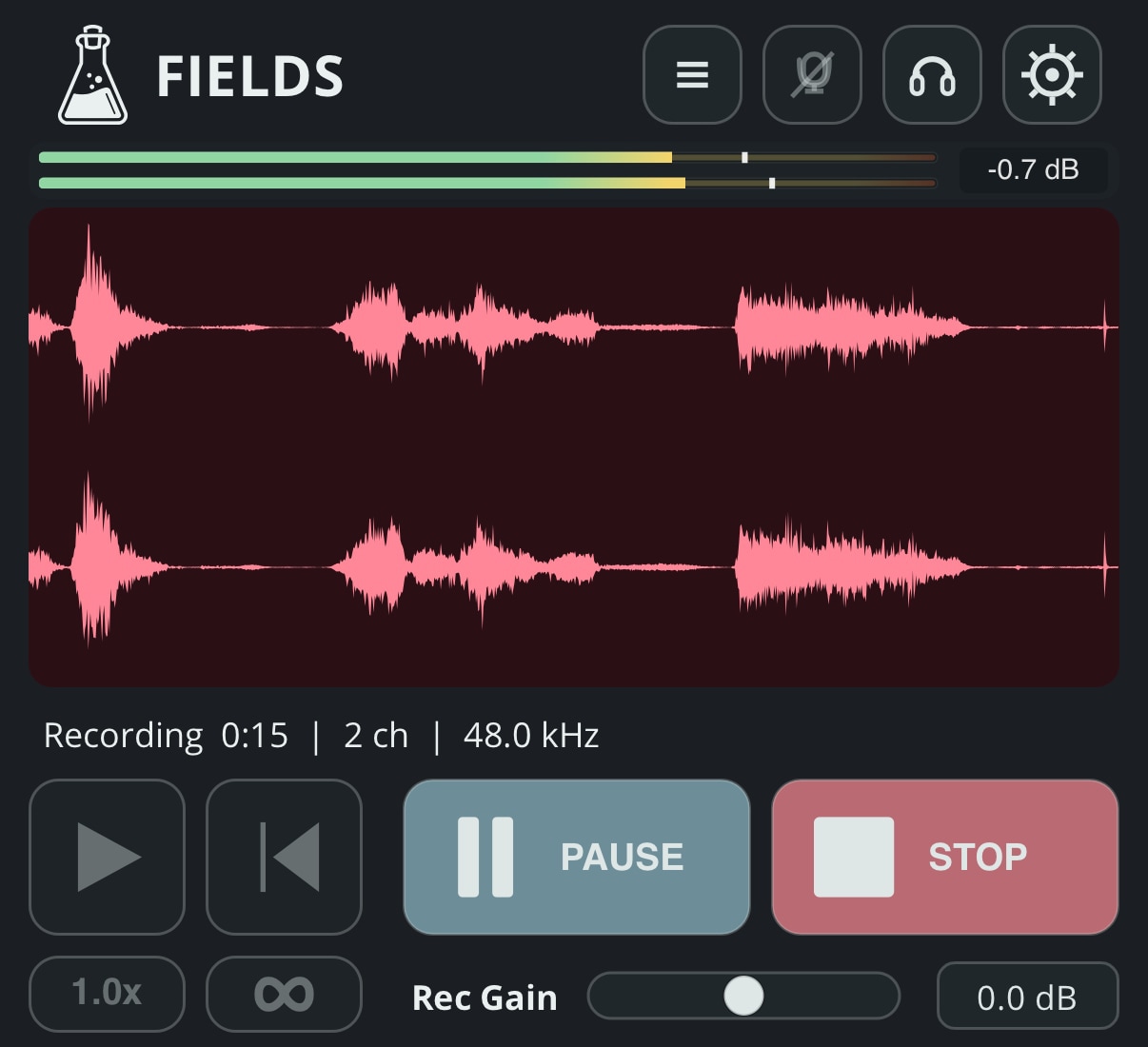
Fields makes it easy to capture sounds in any situation, without the need to carry a dedicated field recorder or manage SD cards. Start a new recording in seconds, or append new material to an existing recording as your collection grows.
You can adjust the recording input level with Rec Gain. On devices that support hardware input gain, this control switches to HW Gain and adjusts the device’s physical input gain directly. Otherwise, it applies digital gain before the audio is written to the recording.
You can use Control Center to change the input and output settings.
You can record with your iPhone’s built-in microphone while listening through your AirPods. Watch this quick video to see how.
Pre-Roll
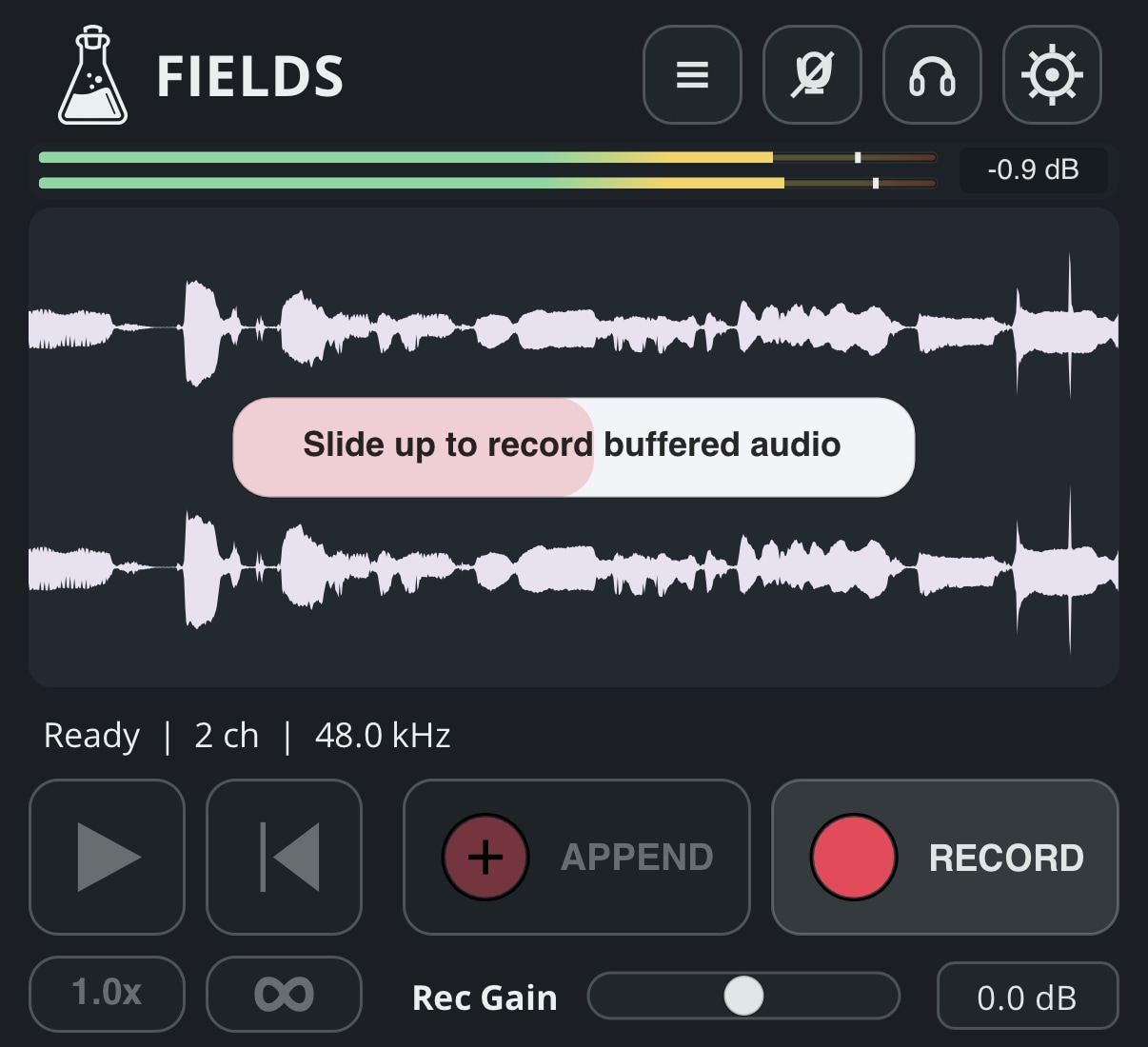
Fields can continuously capture a short pre roll buffer before recording begins, helping you save sounds that happen just before you press Record. Set the buffer length in the Settings menu, then hold the Record button and swipe up to include the pre roll audio in a new recording.
The pre roll buffer can be set to up to 20 seconds.
Editing
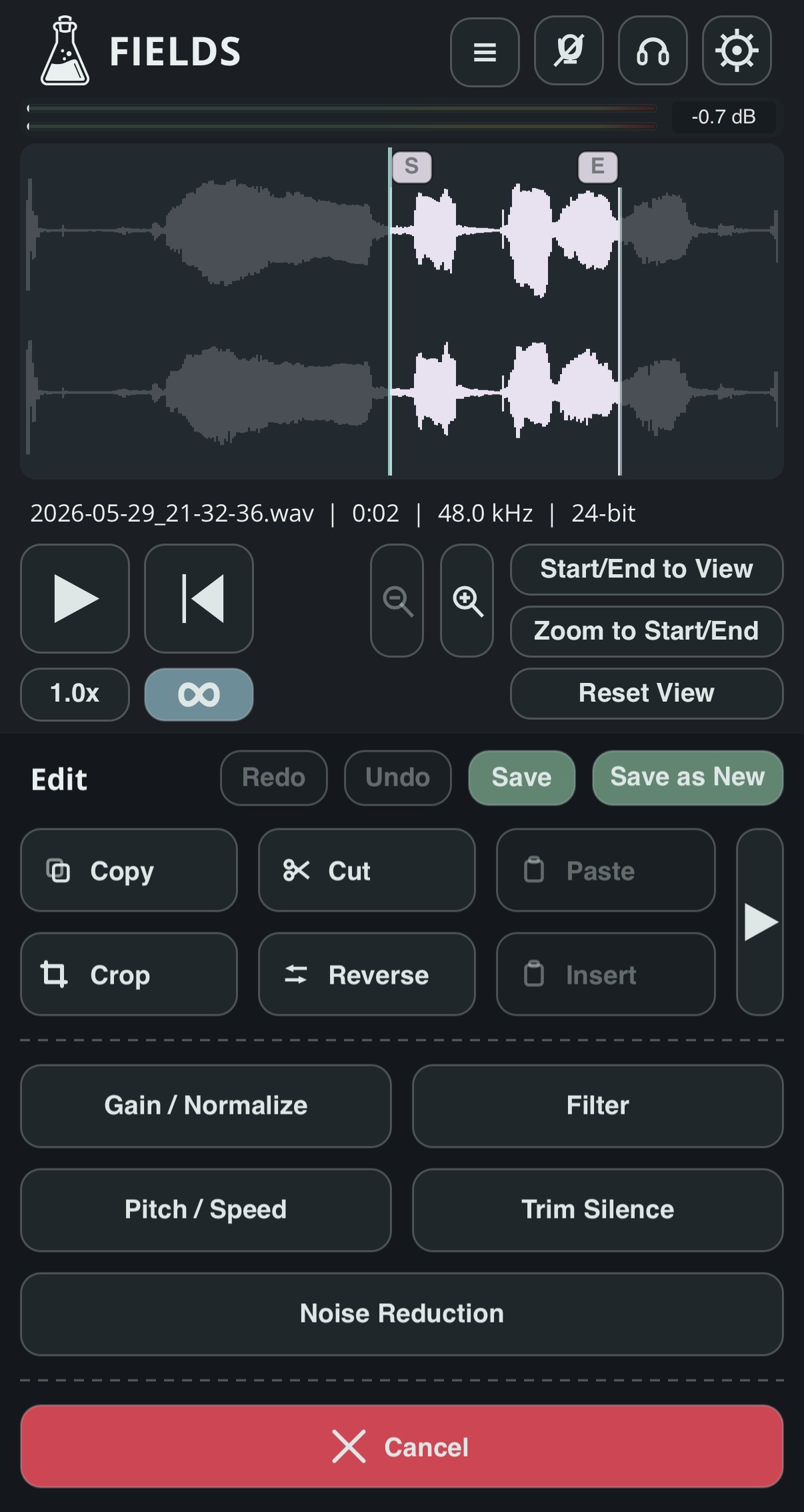
Fields includes a practical set of editing and processing tools, so recordings can be refined directly after capture, without transferring files to another app. Select a portion of the waveform to copy, cut, crop, reverse, and fade, then apply processing only to that section or to the entire recording.
Adjust levels with Gain / Normalize, shape the sound with the built in Filter, or transform recordings using Pitch / Speed controls.
Trim Silence automatically detects and removes unwanted quiet areas, with controls for threshold, tolerance, and smoothness to achieve natural results.
For recordings made in noisy environments, Noise Reduction can learn a noise profile from a selected region and reduce background noise while preserving useful detail.
Together, these tools make Fields useful not only for capturing sounds, but also for quickly cleaning, shaping, and preparing recordings while you are still in the field.
Location and Map
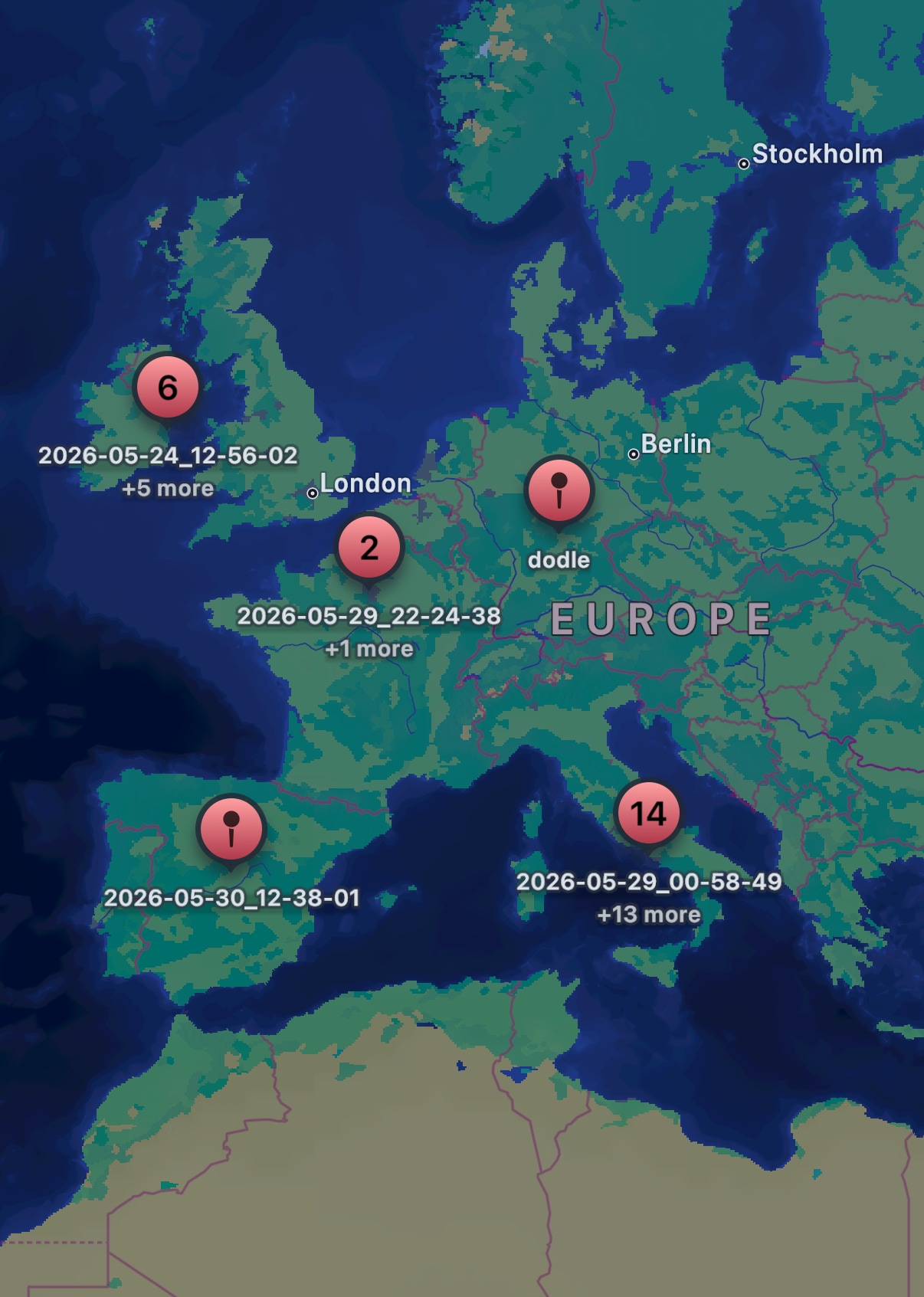
Fields can automatically geotag your recordings, so you can remember exactly where each sound was captured. If needed, you can also change the location later.
The built-in map lets you browse your recordings by place, making it easy to return to a location, rediscover sounds from a trip, or organize your collection around the environments where they were recorded.
Why I Built Fields
I have always enjoyed collecting sounds outside the studio. A place, an object, a short noise, or an interesting acoustic space can quickly become the start of a new idea.
I built Fields to make that process more immediate. My phone is always with me, and the iPhone microphones are surprisingly good for casual recordings. When I need more control, I can still connect an audio interface and use any microphone I want.
Your Recordings Stay Yours
Fields requires no account and uses no tracking or analytics.
Your recordings are never uploaded to our servers or accessed by us.
Store your recordings locally on your device or in your personal iCloud storage.
Storage
iCloud or Local
No Account
Start recording immediately
No Tracking
No analytics or profiling
Changelog
2026/07/16: v1.0.1
- Added edit recovery to restore unsaved changes after the app exits
- Added an option to disable location saving and clear location data
- Added more sorting options
- Added Snap to Zero and Snap to Loop
- Added nested subfolder display in the browser
- Added support for non-latin characters
- Improved startup audio settings (stereo forced)
- Improved browser and waveform performance
- Improved editing support for long recordings
- Improved import/export
2026/06/12: v1.0
Release!
