
Outer Space 2
Vintage Tape Echo
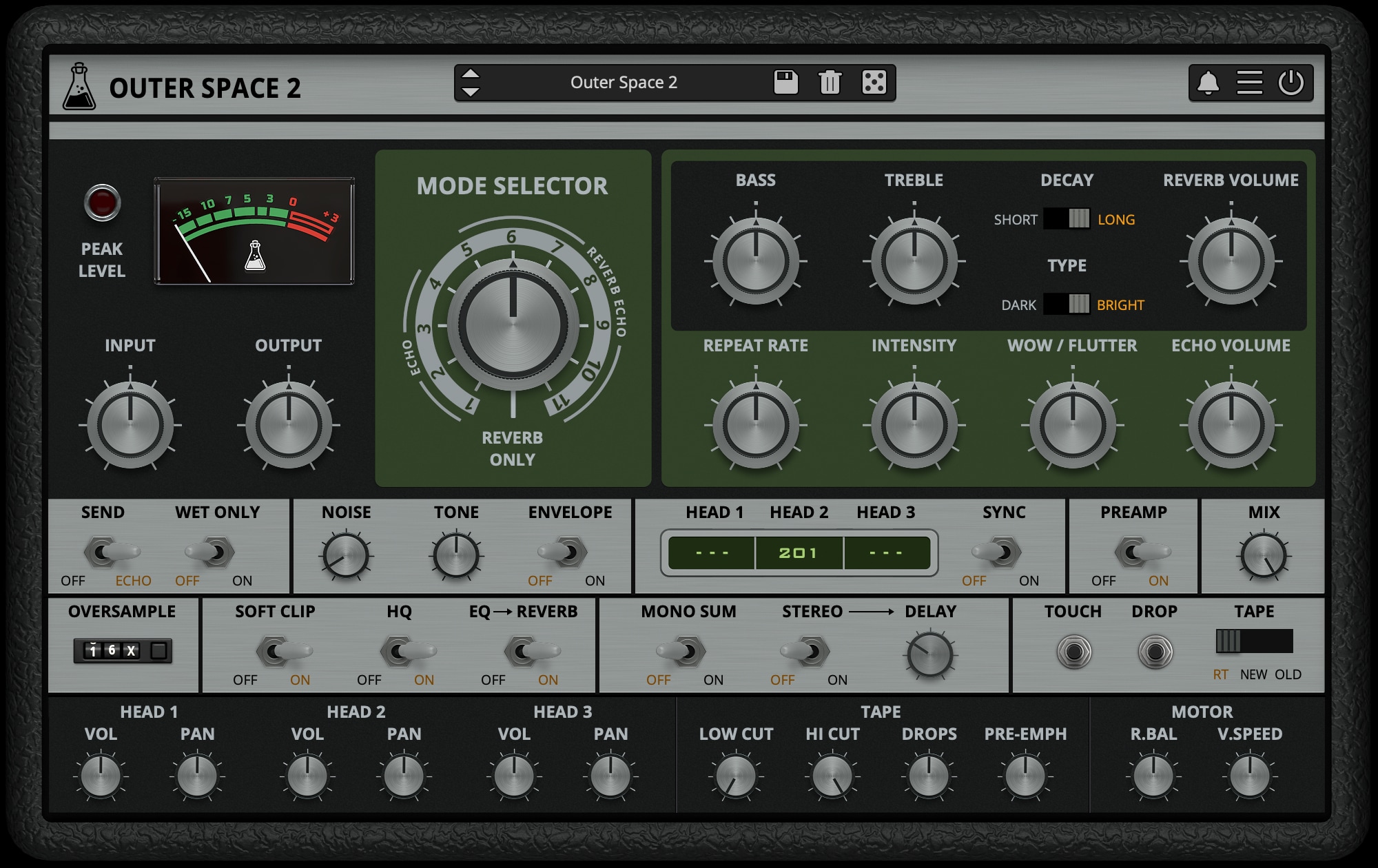
The Space Echo Plugin
Outer Space is a faithful Space Echo plugin emulation, the iconic vintage tape echo made in the early seventies.
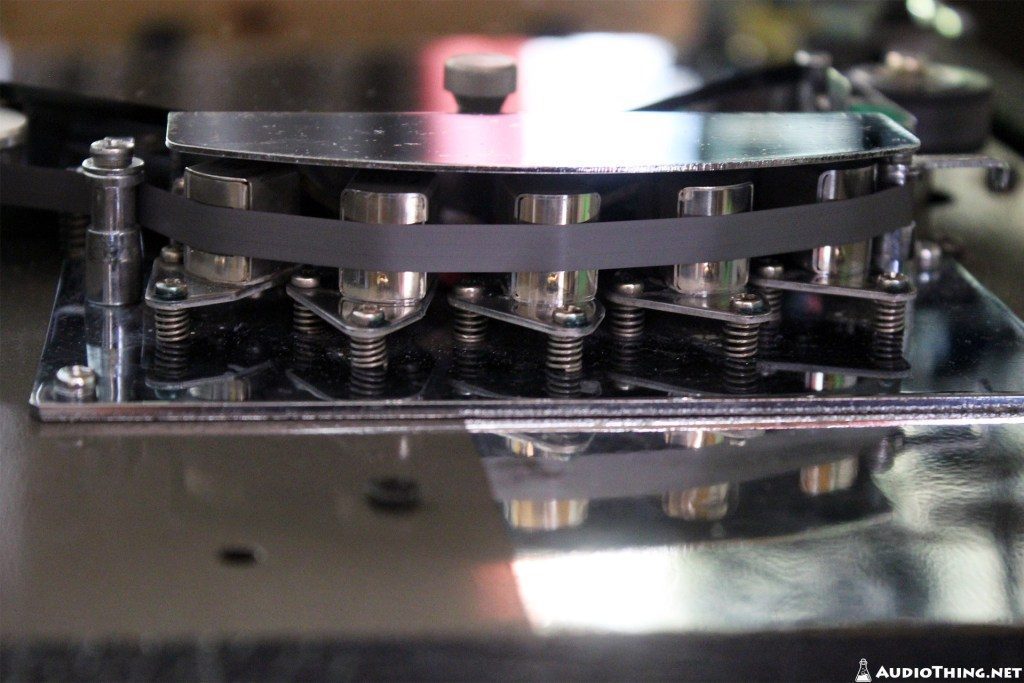
As the original unit, Outer Space features a tape echo section with three playback heads and two spring reverb tanks.
We have modelled three different tape frequency responses and saturations, along with all the analog imperfections of tape recording/playback.
We have also modelled the ballistic response of the delay rate (repeat rate) which can create eerie pitch shifts (due to the Doppler effect), one of the classic tape echo-based sound effects.
Outer Space 2 is available for macOS, Windows, and Linux (VST2, VST3, AU, AAX, CLAP).
It’s also available on the App Store for iOS and iPadOS (AUv3 and Standalone).
Listen to audio demos
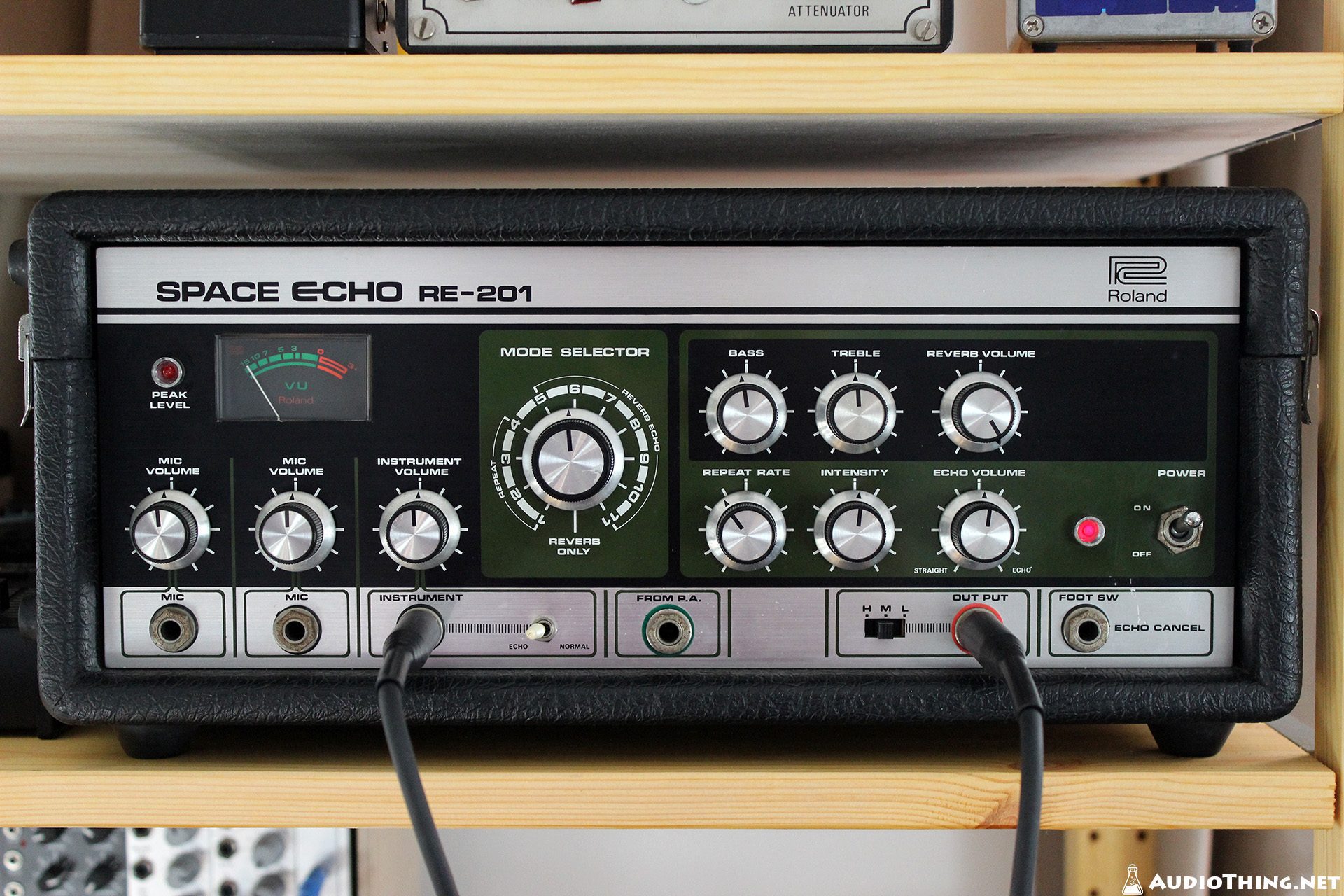
Space Echo
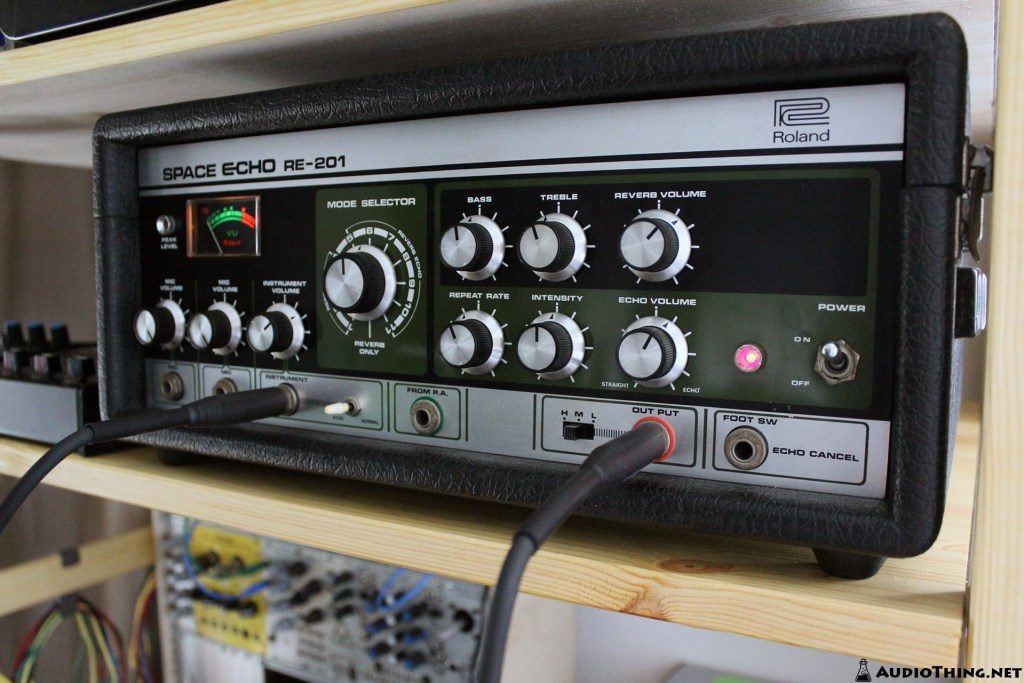
Introduced in 1974, the Roland Space Echo RE-201 was an instant hit among engineers, guitar players, and dub pioneers. A real analog system providing both tape echo and spring reverb for a rich and organic sound.
More Features
- Oversample (up to 16x)
- Soft Clip
- Mono Sum / Stereo Control
- Volume/Pan for each Head
- Low/Hi Cut for Feedback Section
- Drops control
- Pre-Emphasis Filter
- Rate Ballistic control
- Variable Speed (± 50 ms)
- Preamp switch
- and more!

Tape Modelling
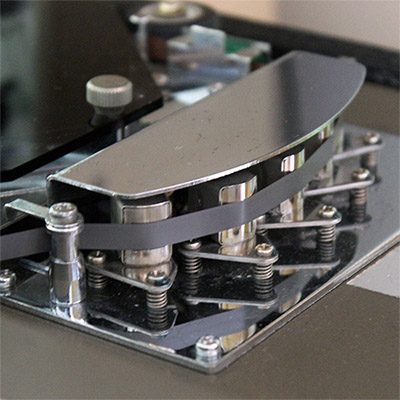
We’ve modelled three different tape types.
The original RT-1L, a more modern replacement, and an older worn out tape. Each tape will affect the sound in a subtle but different way, especially at higher feedback (Intensity) settings.
WOW/Flutter, Drops, and other parameters will also change according to the selected tape, creating different amounts of pitch and volume changes.
Changing the speed of the repetitions (Repeat Rate) will also affect the tape frequency response.
Mode Selector
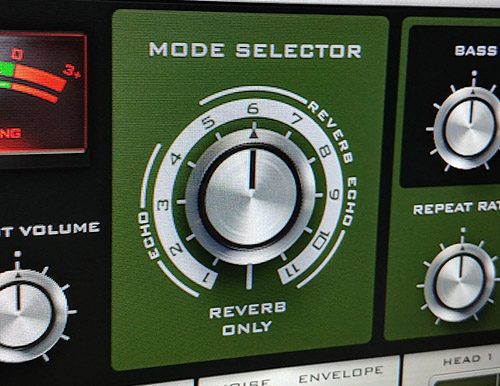
Just like the original unit, with the Mode selector you can choose 12 different combinations of echo playback heads and reverb:
- 4 Echo only
- 7 Echo+Reverb
- 1 Reverb only
Video
Reviews

“The definitive RE-201 emulation.”

“An amazing tape delay emulation that demands to be tried – and, at this crazy price, almost certainly bought– by any producer or guitarist – 10/10”

“AudioThing once again proves that excellent-sounding plug-ins don’t need to be expensive – 6/6”

“Outer Space is a must have – bringing your creativity to a new level. Being a mixer, the importance of having a collection of plugins and analog gear at my disposal is paramount.”
Also available on iOS
Outer Space 2 is available for iPhone and iPad on the App Store, as a AUv3 plugin and Standalone (IAA).
Download on theApp Store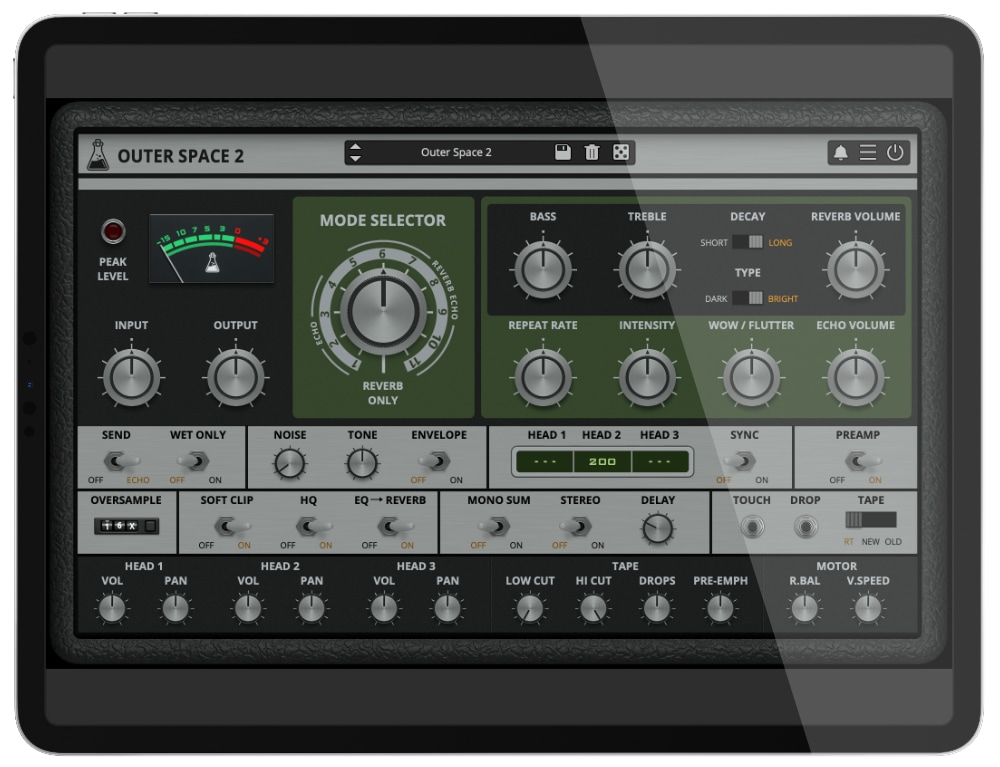
Outer Space 2 Demo
Try Outer Space for free with some limitations: silence for 3 seconds every 45 seconds, saving disabled. If you like it, you can purchase a license and then authorize the demo version.
macOS
Requires macOS 10.13 or higher
AU, VST2, VST3, AAX, CLAP (64bit only)
Download DemoWindows
Requires Windows 7 or higher
VST2, VST3, AAX, CLAP (64bit only)
Download DemoLinux
Requires Ubuntu 20.04 or newer
VST2, VST3, CLAP (64bit only)
Download DemoSpecifications
- Vintage Tape Echo
- 3 Tape modes: Original, Modern, Old
- Spring Reverb (Dark/Bright and Short/Long)
- Background Noise with Envelope
- Oversample up to 16x
- Mix Control
- Resizable Window
- Brightness and Contrast Controls
- Preset system with randomizer
System Requirements
Windows
Windows 7 – 11
2GHz CPU, 4 GB RAM
VST2, VST3, AAX, CLAP (64-bit)
macOS
macOS 10.13 – macOS 26
2GHz CPU, 4 GB RAM
VST2, VST3, AU, AAX, CLAP (64-bit)
Universal 2 Binary
Linux
Ubuntu 20.04 LTS
2GHz CPU, 4 GB RAM
VST2, VST3, CLAP (64-bit)
Changelog
v2.2.1 2025/10/24
- Added: macOS 26 Tahoe support
- Fixed: Synced values not consistent across all time signatures
v2.2 2025/08/15
- Added: Mix Knob Parameter
- Added: 5 new presets
- Improved: GUI elements
- Fixed: Pan behavior
v2.1.1 2025/03/19
- Added: macOS 15 Sequoia Support
- Improved: Memory Usage
- Improved: GUI Contrast
v2.1 2024/07/24
- Added: Graphics Controls (Brightness and Contrast)
- Improved: Contrast of Oversample UI
- Improved: Preset browsing avoids loud clicks
- Improved: Preset import from v1 (oversample parameter)
- Improved: Mode Knob scrolling with Mouse Wheel
- Fixed: Crash on Windows with some presets
- Fixed: Longer synced values issue with 16x oversample
- Fixed: Mono Sum not working correctly
- Fixed: Oversample parameter not locking
v2.0 2023/12/23
- Added: New Retina GUI
- Added: Oversample destination (Echo, Preamp)
- Added: Momentary Tape Touch/Drop
- Added: More Synced Delay Values
- Added: macOS 14 Sonoma support
- Improved: CPU and memory usage
v1.3.5 2023/06/16
- Added: AAX Silicon Support
- Added: CLAP plugin format
- Added: Linux VST2, VST3, CLAP plugin formats
- Added: Windows 11 support
v1.3.3 2022/05/05
- Added: macOS 12 Monterey support
- Improved: CPU and memory usage
- Fixed: Minor bugs
v1.3.2 2022/02/10
- Added: macOS 11 Big Sur support (Universal 2 Binary)
- Added: Light and Dark UI mode
- Added: Option to enable Accelerated GUI
- Improved: Oversample Algorithm
v1.3.1 2020/08/12
- Improved: Reduced bright reverb Pre-Delay
- Fixed: Noise not working as in previous versions
v1.3 2020/08/11
- Added: New Reverb Type: Bright
- Added: Internal support for left-hand mouse users
- Improved: macOS CPU usage
- Fixed: Rare crash on Windows systems when upgrading from older versions
- Fixed: Global settings not saving properly
v1.2.6 2020/05/01
- Fixed: Echo Time displayed backward (bug introduced in v1.2.5)
- Fixed: Minor graphics issues when closing multiple plugins
- Fixed: VST3 UI issue on Windows with scaling over 100%
- Improved: Joined Parameter lock and Random lock
- Improved: Synced values offset is retained when moving Repeat Rate
- Improved: Plugin tail now returns infinity (bypassing the VST3 auto-suspend in some hosts)
v1.2.5 2019/11/28
- Added: macOS 10.15 Catalina support
- Added: Parameter Lock
- Added: Edit Value option for Knobs
- Added: Notification System
- Improved: Reverb Section HQ mode
- Improved: Bypass State GUI
- Improved: Buffer Clear (now includes the reverb tail)
- Improved: CPU and memory usage
- Fixed: Bypass Button not working
- Fixed: Minor graphic issues for some automations
v1.2.1 2019/01/31
- Improved: Clear Buffer on Playback/Reset of the Host
- Improved: Dropdown panel stays open/closed as selected by the user
- Improved: Partial support for retina displays
- Added: Online Authorization Form
- Fixed: Gain inconsistencies when changing samplerate on some hosts
- Fixed: Meta-parameter (Repeat Rate) issue
- Fixed: Phase issue when Pre-Amp is enabled
- Fixed: Random crash on Mojave with Logic Pro 10.4.3
v1.2.0 2018/05/18
- Improved: All additional controls are now available in a dropdown panel
- Improved: CPU performance on both Echo and Reverb sections
- Added: Global option to switch Echo and Reverb Volume parameters curve (linear or audio taper)
- Added: VST3 plugin format
- Added: 10 New Presets
- Fixed: MAC with High Sierra (APFS) presets scrambled
- Fixed: Wet Only Lock bug
- Fixed: Minor graphic glitches
v1.1.0 2017/10/18
- Added: Meter selector + Gain (input/output)
- Added: Volume/Pan for each head
- Added: Low/Hi Cut for feedback section
- Added: Ducking
- Added: Pre-Emphasis
- Added: Rate Ballistic
- Added: Variable Speed (+/- 50 ms)
- Added: Stereo Delay amount (in ms)
- Added: Noise Tone
- Added: Preamp switch
- Added: Preset Copy/Paste to/from Clipboard
- Added: Global option – Switch off the feedback loop clearing on playback
- Added: Global option – Resizable Window
- Added: 10 new presets
- Improved: Preamp section
- Improved: Noise Section
- Fixed: Synced values recall bug
- Fixed: Plugin scan bug on some 32bit host
v1.0.5 2017/05/01
- Added: Wet Only Lock function
- Fixed: Mode selector showing wrong value when automated
- Fixed: WaveLab issue with Synced presets
- Fixed: Pro Tools 12.7.1+ CPU bug
- Fixed: Bypass Automation CPU bug
v1.0.3 2017/03/29
- Added: Reverb DSP switches off when Reverb Volume is set to 0 (to save CPU)
- Fixed: Offline Rendering bug on some hosts
- Fixed: Feedback loop not clearing properly on some hosts
- Fixed: Dry leaking into Reverb section
- Fixed: GUI keyboard focus error (especially the Return key)
v1.0.2 2017/03/24
- Added: Delay now clears the feedback loop after playback restarts
- Added: Drop-down menu for synced values
- Added: You can now click on the Mode dial values to change mode
- Fixed: Pro Tools bug where Heads values were not recalling correctly on saved projects
- Fixed: Noise and Intensity Random Lock
v1.0.1 2017/03/18
- Added: Bypass button will clear the feedback loop
- Added: Loading presets will also clear the feedback loop
- Fixed: Oversampling bug in Wavelab 9
- Fixed: WOW/Flutter not working in Sync
- Fixed: Treble knob bug (was engaged even at 0)
- Fixed: Minor GUI issues
Copy Protection
To activate your plugin you can choose between Online and Offline authorization.
Create an account, log in through the plugin to activate, or download your license file for offline activation.
Activation
1 license up to 3 computers
No iLok
We don’t like dongles
No Internet
No connection required to activate
Outer Space is not affiliated with, sponsored, nor endorsed by Roland.