
miniBit
8bit Synthesizer
Chiptune Synth
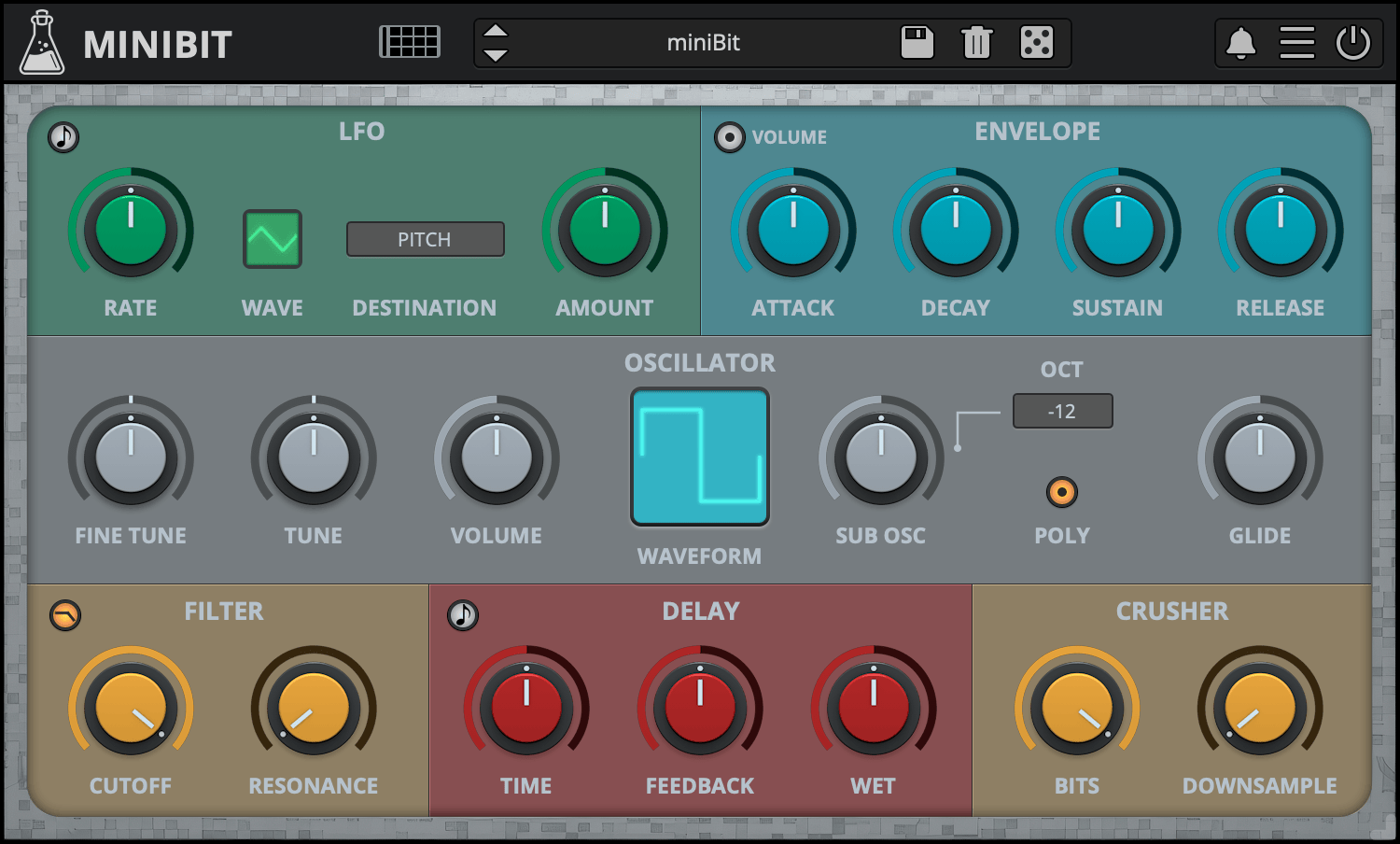
miniBit is an 8-bit/chiptune style synthesizer plugin that emulates the sound of 80s game consoles and retro computers.
It features a main oscillator with 18 waveforms paired with a sub oscillator (a square wave pitched one octave below).
The waveforms are not bandlimited and will produce aliasing. Furthermore, using the built-in bitcrusher, you can create even more noisy and retro sounds.
miniBit also features a synced 8 Steps Stepper/Sequencer with multiple destinations.
From noisy, snare-like steps to ambient subs, miniBit has many uses beyond what one expects from a chiptune synth.
miniBit is available for macOS, Windows, and Linux (VST2, VST3, AU, AAX, CLAP, Standalone).
It’s also available on the App Store for iOS and iPadOS (AUv3 and Standalone).
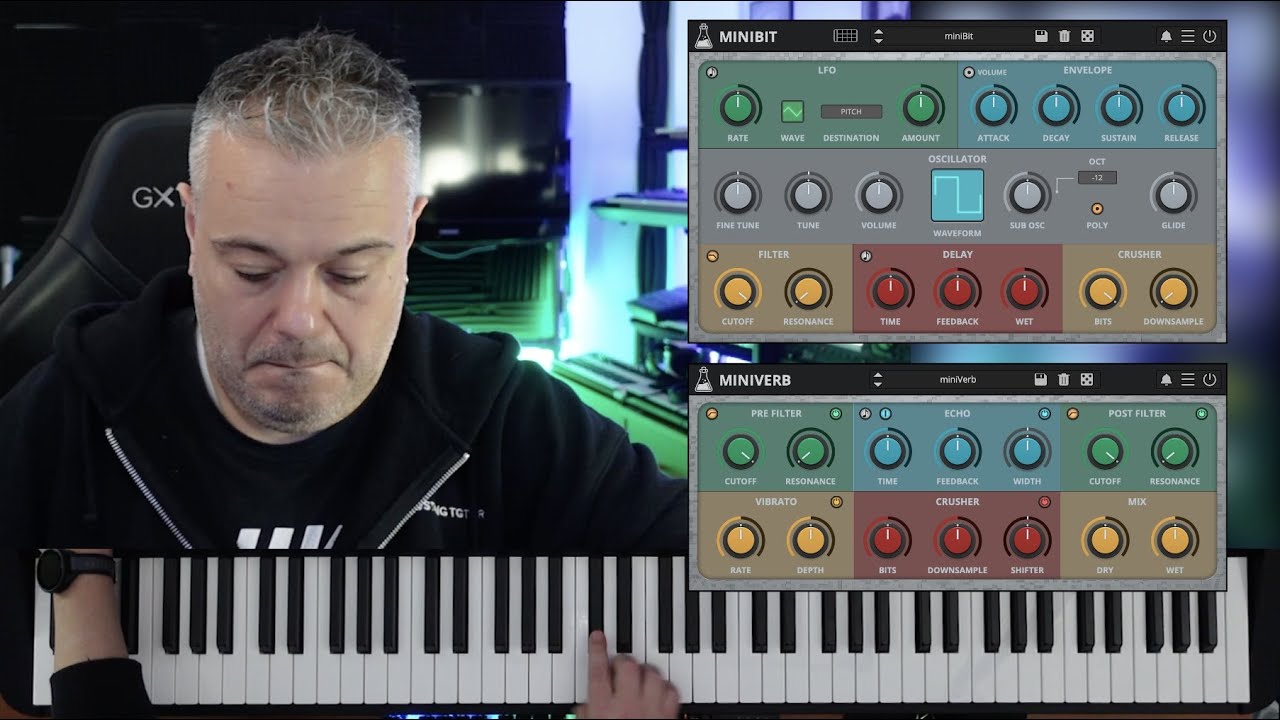
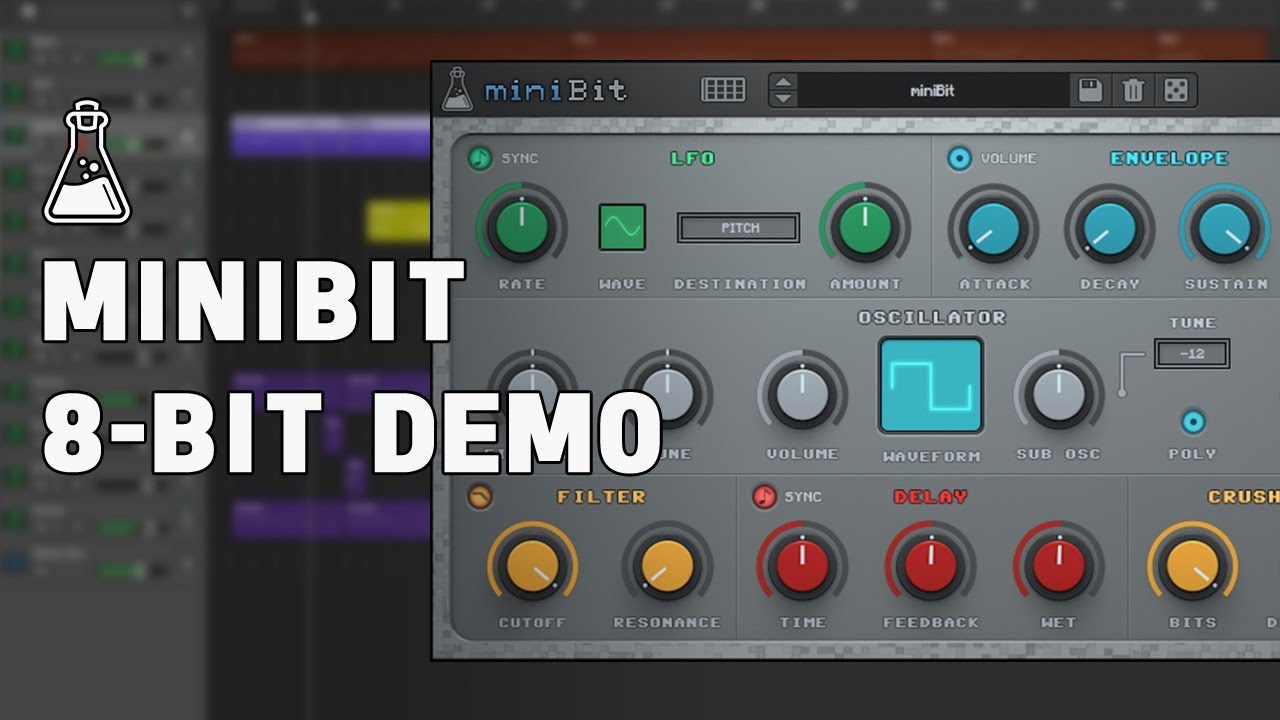
Listen to audio demos
Classic Consoles
miniBit takes inspiration from the iconic sound of classic game consoles and retro computers of the 80s and 90s that we collected over the years. It delivers the unmistakable charm of vintage 8-bit sounds, ideal for creating authentic chiptune music or adding a touch of nostalgic character to any production.
To take your 8-bit creations even further, explore miniVerb, our companion effect plugin designed to enhance and transform your sounds with authentic chiptune-style effects.

Custom Waveforms
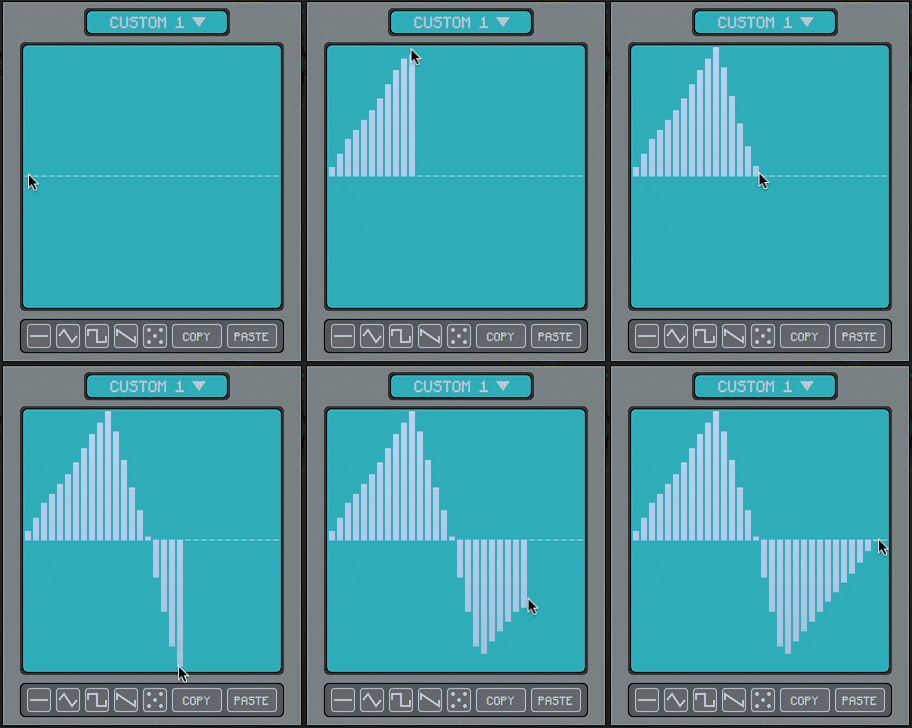
The Custom Waveform Editor features 32 steps and 8 waveform slots per preset.
You can draw your waveforms by clicking and dragging on the editor. You can also use the built-in examples as a starting point.
Each preset has its own set of custom waveforms, if you want to use a custom wave with another preset you can use the Copy/Paste buttons, or you can disable the Update Custom Waves in the global settings.
To open the Custom Waveform Editor select one of the Custom Waveforms from the Waveform monitor and click on the Editor button.
Step Sequencer
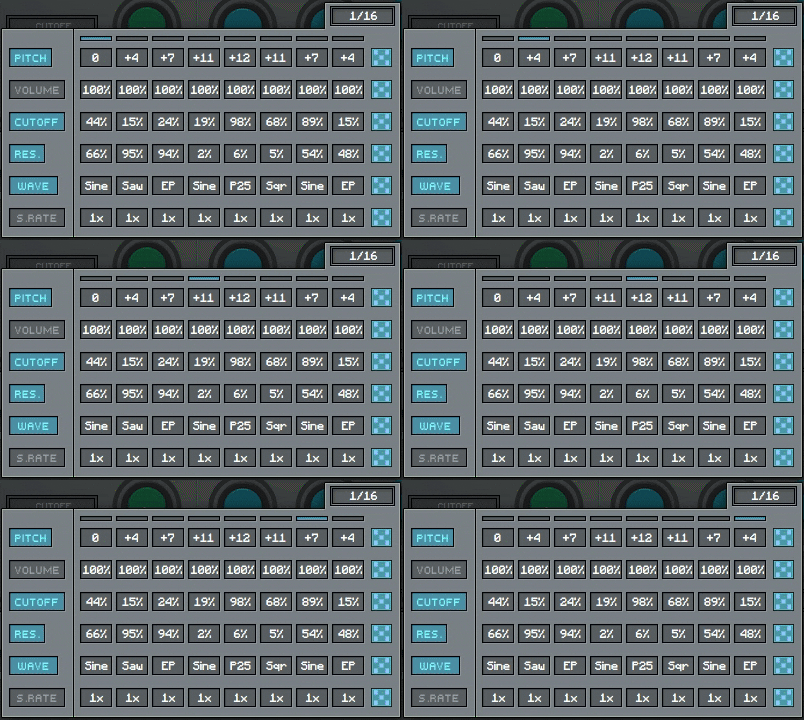
miniBit features an 8 steps sequencer that can be used to automate several parameters: pitch, volume, cutoff, resonance, waveform, and downsampling.
Sequencing the waveforms will generate sounds reminiscent of early trackers and wavetable synthesizers.
Each track can also be randomized using the dice buttons on the right.
Also available on iOS
miniBit is available for iPhone and iPad on the App Store, as a AUv3 plugin and Standalone (IAA).
Download on theApp Store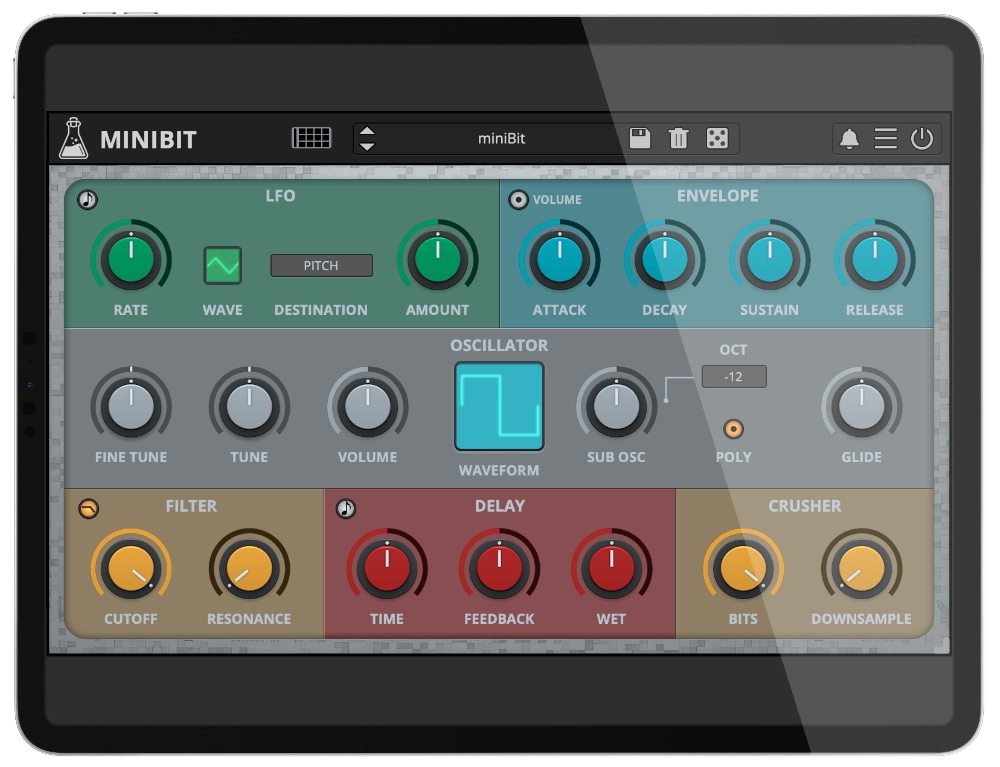
miniBit Demo
miniBit is available for iPhone and iPad on the App Store, as a AUv3 plugin and Standalone (IAA).
Try miniBit for free with some limitations: silence for 3 seconds every 45 seconds, saving disabled.
If you like it, you can purchase a license and then authorize the demo version.
Requires macOS 10.13 or higher
AU, VST2, VST3, AAX, CLAP, Standalone
(64bit only)
Requires Windows 7 or higher
VST2, VST3, AAX, CLAP, Standalone
(64bit only)
Requires Ubuntu 20.04 or newer
VST2, VST3, CLAP, Standalone
(64bit only)
macOS
Requires macOS 10.13 or higher
AU, VST2, VST3, AAX, CLAP, Standalone
Download DemoWindows
Requires Windows 7 or higher
VST2, VST3, AAX, CLAP, Standalone
Download DemoLinux
Requires Ubuntu 20.04 or newer
VST2, VST3, CLAP, Standalone
Download DemoSpecifications
- 18 Waveforms + Custom Waves + Sub Oscillator
- Poly and Mono mode with Glide
- 2-poles LowPass/HighPass Filter
- Pitch and Volume Envelopes
- Delay and BitCrusher effects
- LFO with multiple destinations
- Volume and Pitch Envelopes
- 8 Steps Stepper with multiple destinations
- 128 Presets + Preset randomizer
System Requirements
Windows
Windows 7 – 11
2GHz CPU, 4 GB RAM
VST2, VST3, AAX, CLAP, Standalone (64-bit)
macOS
macOS X 10.13 – macOS 26
2GHz CPU, 4 GB RAM
VST2, VST3, AU, AAX, CLAP, Standalone (64-bit)
Universal 2 Binary
Linux
Ubuntu 20.04 LTS
2GHz CPU, 4 GB RAM
VST2, VST3, CLAP, Standalone (64-bit)
Changelog
v1.8 2026/02/05
- Added: New full Retina/HiDPI GUI
- Added: macOS 26 Tahoe Support
- Improved: MIDI Learn
- Fixed: FL Studio note missing when rendering bug
v1.7 2024/12/17
- Added: Standalone version
- Added: macOS Sonoma Support
- Added: Graphics Controls (Brightness and Contrast)
- Improved: CPU and memory usage
- Fixed: Minor graphic issues
v1.6.5 2023/09/25
- Added: CLAP plugin format
- Added: Linux VST2, VST3, CLAP plugin formats
- Added: Windows 11 support
- Added: macOS 13 Ventura support
- Added: AAX Silicon Support
- Improved: Support for Retina/HiDPI displays
- Improved: CPU and memory usage
- Fixed: Popups not opening correctly with multiple instances in Logic Pro
- Fixed: Minor bugs
v1.6.4 2022/02/09
- Added: macOS 12 Monterey support (Universal 2 Binary)
- Fixed: Values disappearing randomly in the Step Sequencer
v1.6.3 2020/07/30
- Fixed: Crash when a project time signature is set to 1/8
- Fixed: Issue with the Registration Window resetting itself
v1.6.2 2020/07/13
- Added: New bank “The Chiptune Orchestra” by Fabri with 20 New Presets
- Added: Internal support for left-hand mouse users
- Added: Option to extend the LFO range
- Fixed: Minor graphics glitches
- Fixed: Parameter locks not recalling properly when loading saved projects
v1.6.1 2019/12/31
- Added: macOS 10.15 Catalina support
- Added: Parameter Lock
- Added: Edit Value option for Knobs
- Added: Notification System
- Fixed: LFO Ramp Up/Down Swapped
- Fixed: Step Sequencer Rate not updating correctly on some Hosts
- Fixed: VST3 UI issue on Windows with scaling over 100%
- Improved: Waveform Monitor mouse sensitivity
- Improved: CPU and memory usage
v1.6 2018/12/14
- Added: Custom Wave Editor with 32 steps and 8 waves
- Added: Glide row to Step Sequencer
- Fixed: Sub-Osc Glide Issue
- Fixed: Step Sequencer not retaining values on some Hosts
- Fixed: Random clicks when scrolling through Waveforms
- Improved: Waveform Monitor
v1.5.1 2018/09/13
- Added: Global Volume Boost
- Added: Pitch Bend Range (Up/Down)
- Added: Sequencer Steps Amount
- Added: Online Authorisation Form
- Fixed: Random stuck notes in Pro Tools
- Fixed: Sequencer Waveform track bug
- Fixed: Digital Performer Plugin Validation Error
- Improved: Partial support for Retina/HiDPI displays
v1.5.0 2018/04/06
- Added: Pitch Envelope
- Added: 3 New Waveforms
- Added: LFO wave “Ramp Up”
- Added: Sub Osc Tune
- Added: 75+ New Presets
- Added: VST3 plugin format
- Added: Global option – Resizable Window
- Fixed: Bypass noise in Pro Tools
- Improved: Redesigned GUI
- Improved: Stability and CPU usage
- Improved: LFO sync
- Improved: Delay parameter smoothness
- Improved: Preset Browser with sub-categories
- Improved: MIDI Learn
v1.2.0 2016/05/25
- Fixed a bug causing some saved projects to crash on loading
- Improved CPU optimization
v1.1.5 2015/04/09
- Added HighPass filter
- Fixed stepper sync problems when changing project sample rate
v1.1.0 2015/01/26
- Added Stepper with multiple destinations
- Added 3 new Waveforms
- Added 20 new Presets
- Fixed silence in Mono instance
Copy Protection
To activate your plugin you can choose between Online and Offline authorization.
Create an account, log in through the plugin to activate, or download your license file for offline activation.
Activation
1 license up to 3 computers
No iLok
No dongles, no cloud
No Internet
No connection required to activate